How to Set Up the Blerp Vod Track Browser Source
What is the Vod Track Browser Source?
The Vod Track Browser Source is a specialized feature designed to enhance your streaming experience by managing Blerps with higher copyright risks. When a Blerp is detected as potentially infringing on copyright, it can be automatically redirected to this separate VOD track, minimizing the chances of your live stream getting flagged or taken down.
Why This is Useful
It's great to help your editors by seperating blerps that are played on stream from your core content. That way if a big moment happens on stream you can choose to have the blerp be a part of the clip or keep them completely seperate! This also keeps all of your vods clean!
*Note*
For the Vod Track Browser Source to function correctly, you need to have both the main browser source and the VOD track source connected. The VOD track source alone will not work; it requires the main browser source to operate in tandem.
How to Set It Up
Before you add the Vod Track Browser Source, ensure that you have the main Blerp browser source URL set up in your broadcasting software (OBS, Streamlabs OBS, etc.). If you need assistance with this step, you can find our detailed guide here.
Now, follow these steps to add your Vod Track Browser Source:
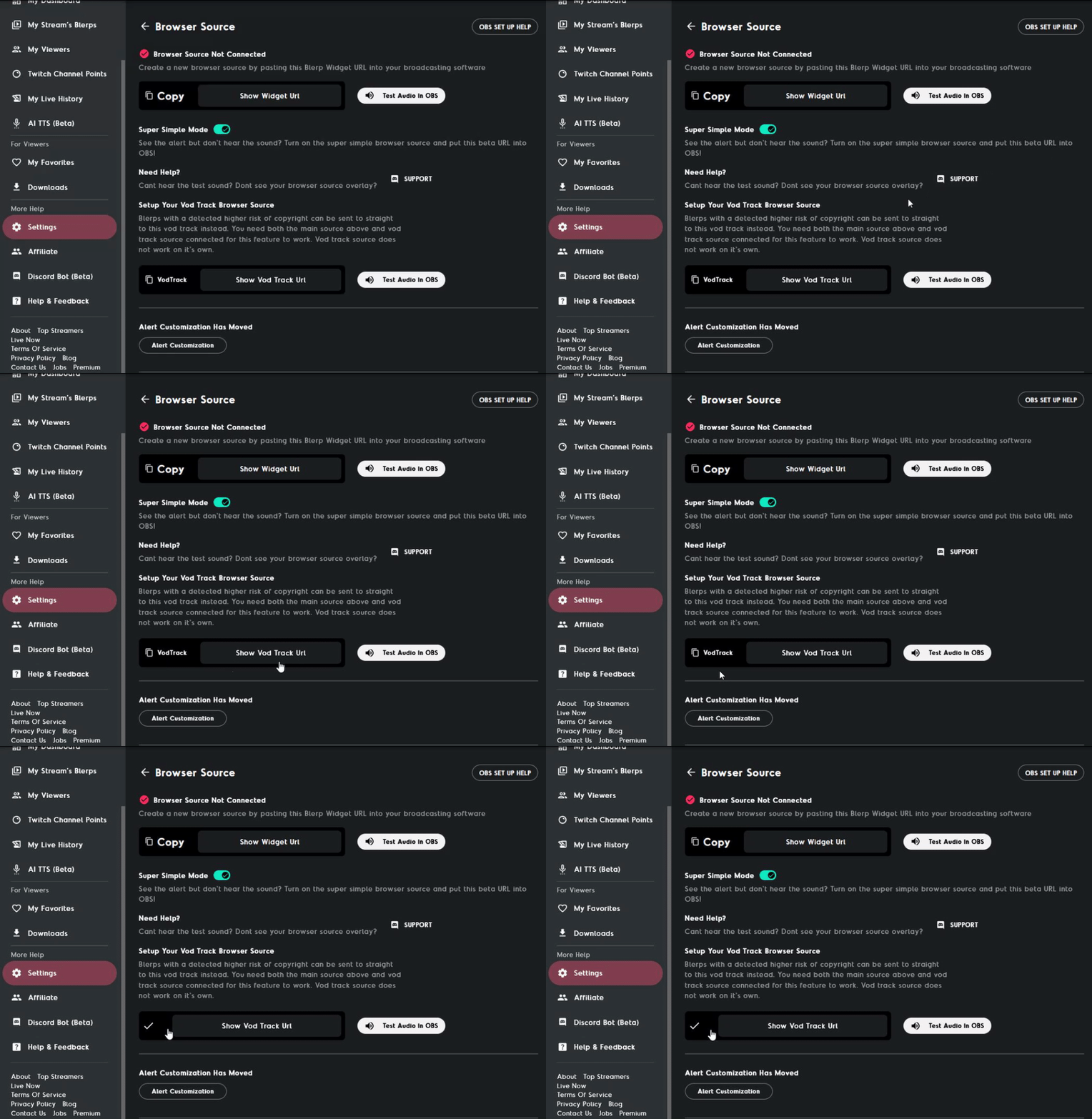
Navigate to Your Settings on Blerp.com
Log in to your account on Blerp.com.
In the side menu, go to the "Settings" tab.
Select “Browser Source”
Within the settings, find and click on “Browser Source.”
Copy the Vod Track URL
Locate the Vod Track URL and copy it.