Looking to ramp up the energy during your stream? Whether your chat is popping off or you’re trying to reignite the vibe, Blerp’s Firesale is your secret weapon to fuel the chaos. This feature lets you unlock temporary discounts on all Blerp sound redeems, giving your viewers even more reason to go wild.
Here’s how to run a Firesale and use it to boost viewer interaction right when you need it most.
What Is a Blerp Firesale?
Firesale is a stream-wide discount event that creates a wave of hype. For a short time, every Blerp redeem on your channel becomes cheaper, letting viewers spam their favorite sounds for less.
How does it start?
Firesales can be triggered in two ways:
- By a viewer redeeming it: You can set a price that allows any viewer to activate a Firesale mid-stream.
- Manually by the streamer: You can hit “Activate” from your Blerp dashboard to launch it whenever you want.
Either way, once it’s live, the countdown begins and the chaos follows.
How to Set Up a Firesale
Here’s how to prep your stream for Firesale madness:
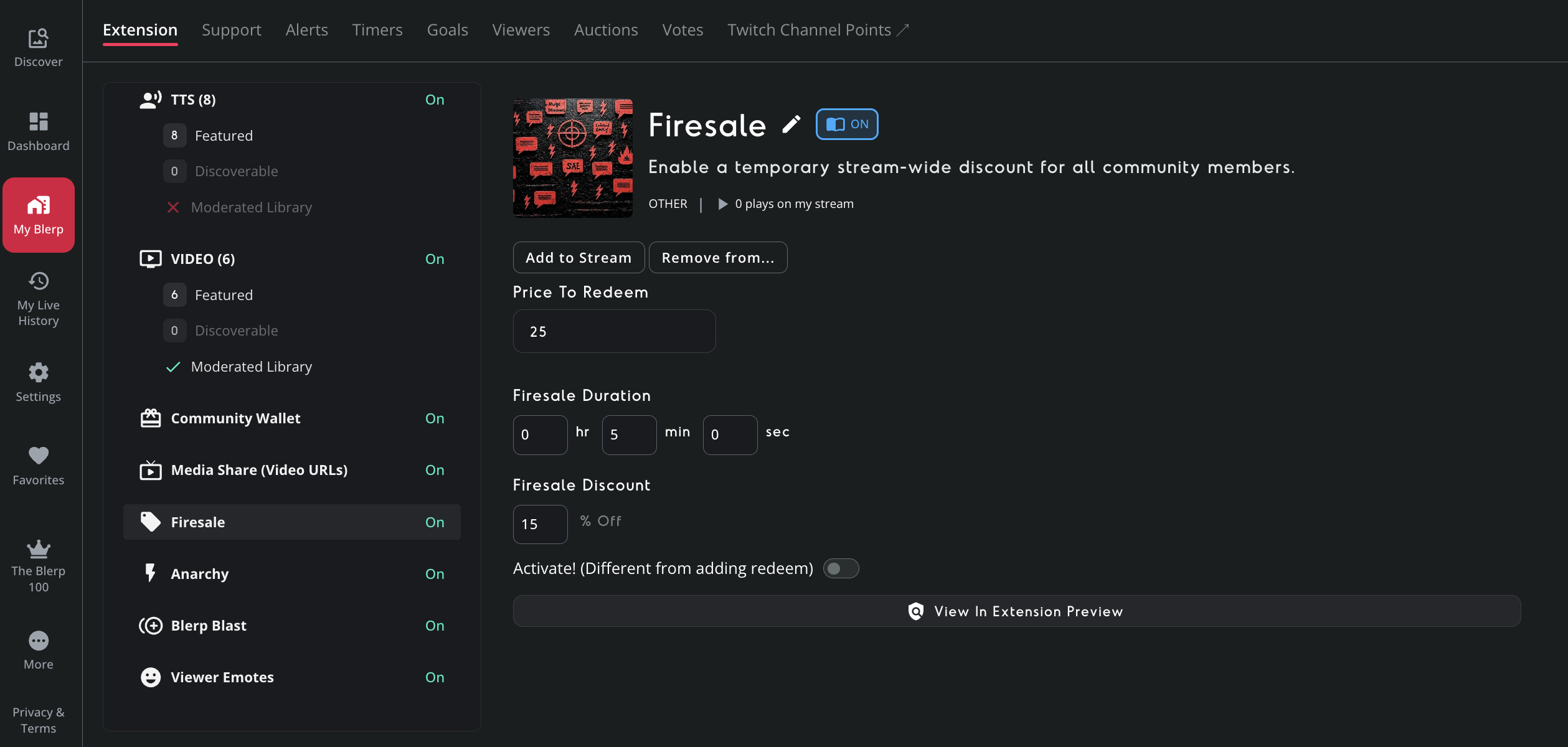
- Head to “My Blerp” → “Extension” tab
- Scroll down to the Firesale section
- Set the Viewer Redeem Price – how much it costs for a viewer to trigger a Firesale
- Choose the Firesale Discount % – how much cheaper all redemptions become
- Set the Duration – how long the Firesale lasts (e.g. 2–5 minutes)
Optionally, toggle “Activate” anytime to start one yourself as the streamer