Blerp is an engagement tool for streamers, letting your viewers redeem sound alerts, AI TTS, and more during your stream. If you're a mobile streamer looking to boost interaction and make your broadcast more fun, here's how to easily add Blerp to Larix Broadcaster.
Step-by-Step: Add Blerp to Larix Broadcaster
1. Open Larix Broadcaster
Launch the Larix Broadcaster app on your mobile device.
2. Go to Settings
Tap the gear icon in the top-right corner to open the settings menu.
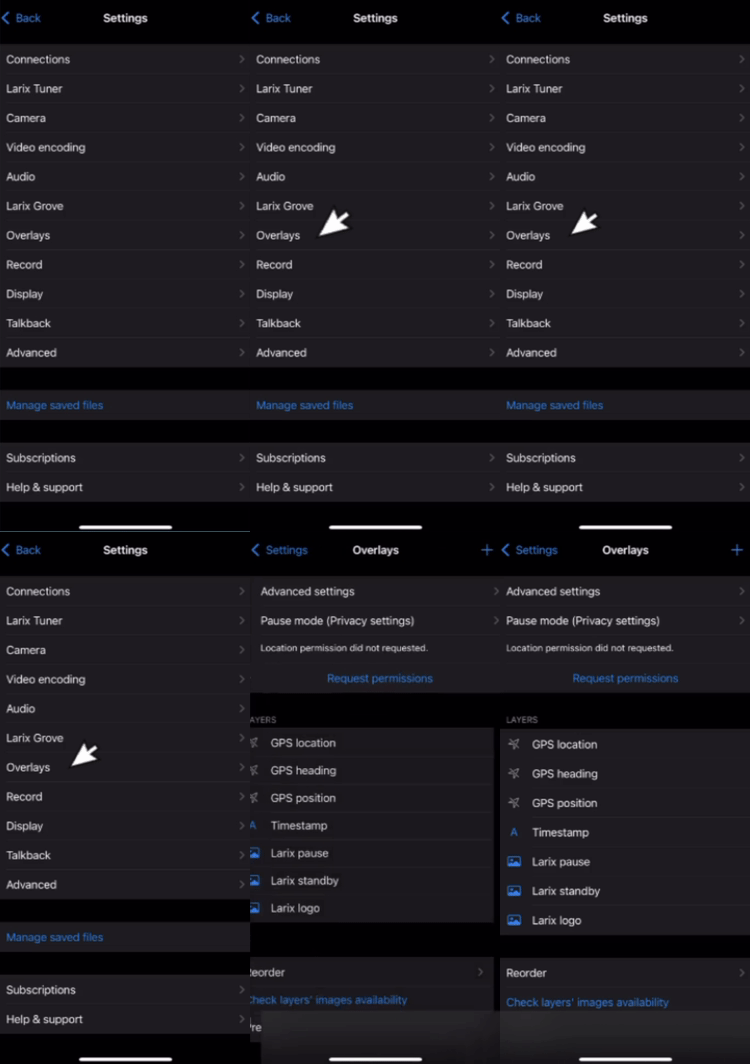
3. Select Overlays
Scroll down and choose “Overlays” from the list.
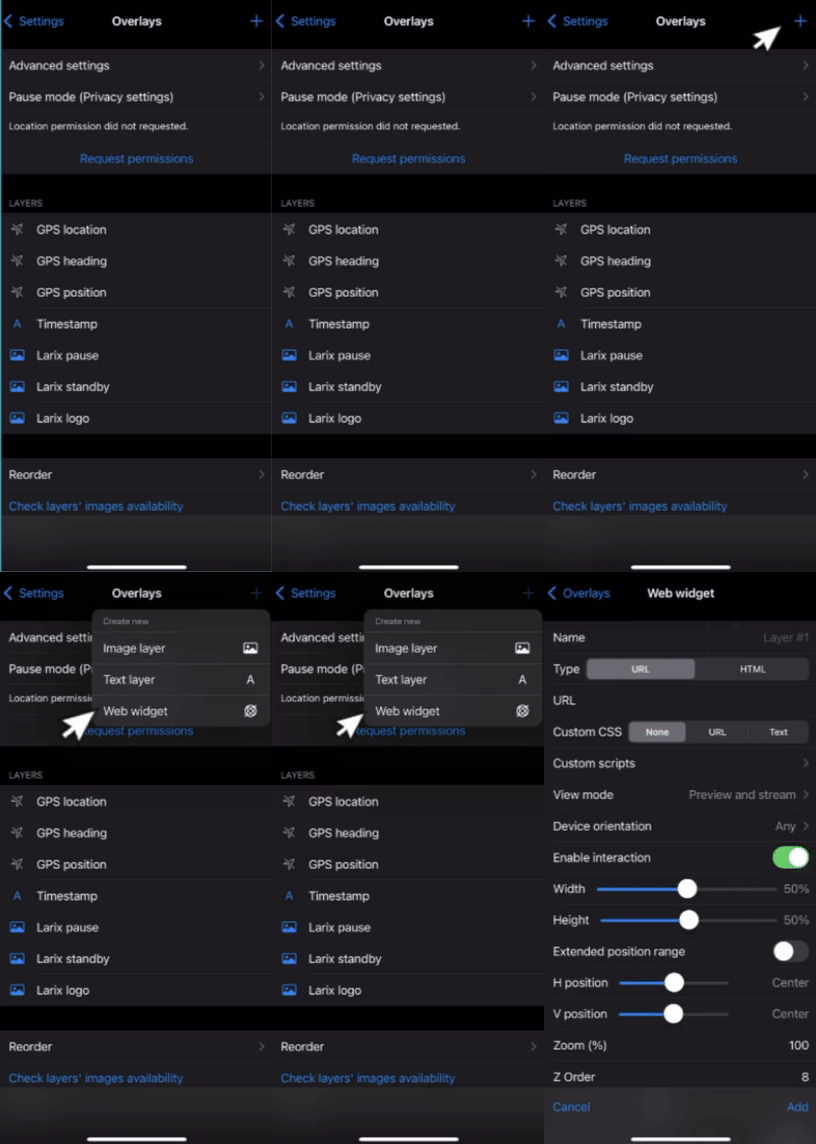
4. Add a New Overlay
Tap the plus sign (+) in the top-right corner of the Overlays screen.
From the dropdown options, select “Web Widget.”
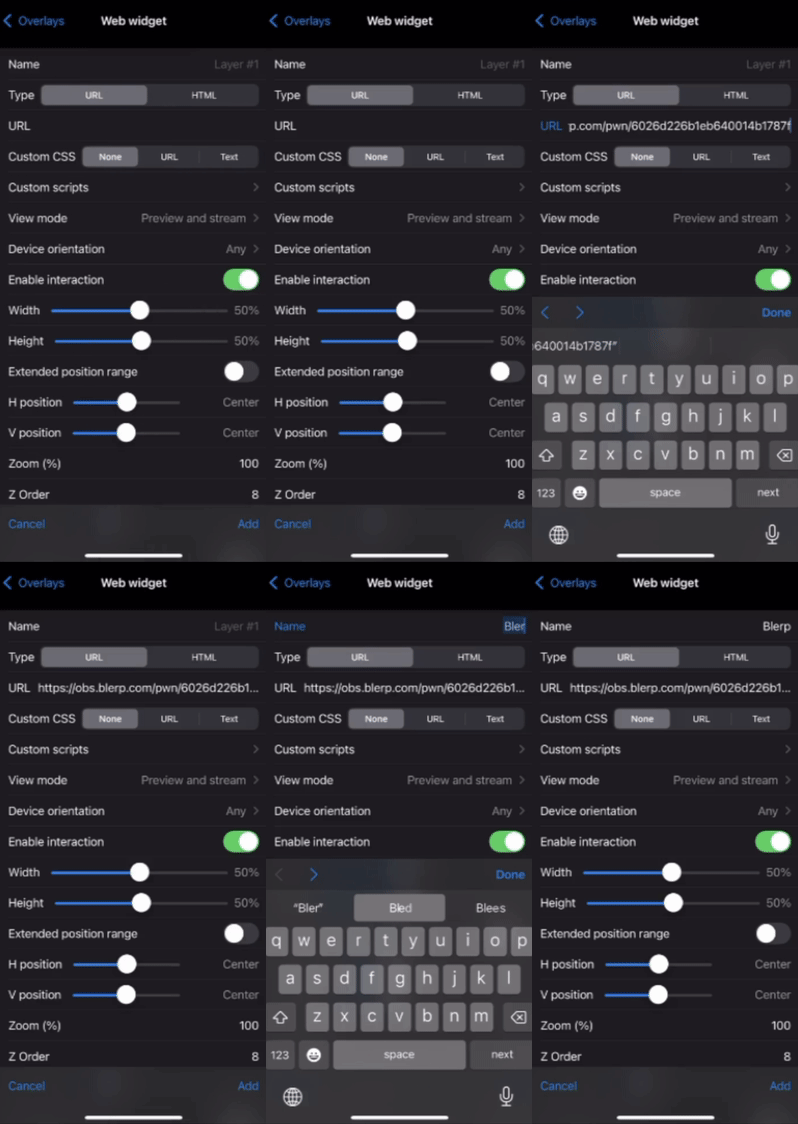
5. Paste Your Blerp URL
In the URL field, paste your Blerp browser source link (you’ll find this in your Blerp streamer dashboard).
Give the widget a name, something like “Blerp Alerts.”
6. Tap Add
After entering the URL and widget name, tap “Add” to save.
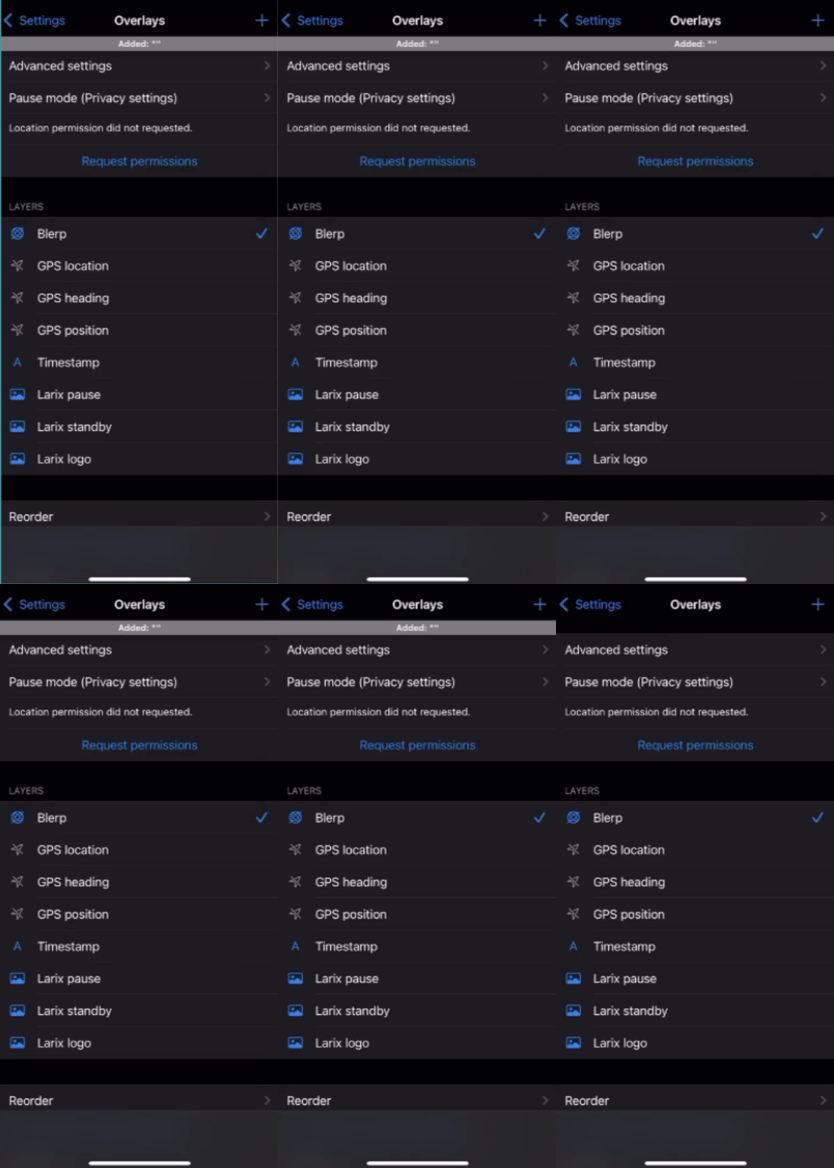
7. Make Sure Blerp is Enabled
Ensure the new widget is toggled on (a blue checkmark means it’s active).
8. Return to Your Stream Scene
Head back to your main scene and test a Blerp sound alert to confirm everything’s working.
Why Add Blerp to Your Mobile Stream?
Using Blerp in Larix Broadcaster adds a layer of real-time engagement for your viewers, perfect for keeping chat active, hyping up key moments, and letting your community join in on the fun.
Whether you're streaming IRL, gaming on mobile, or just chatting with your viewers, Blerp makes it easy to bring sounds, reactions, and energy into your stream.