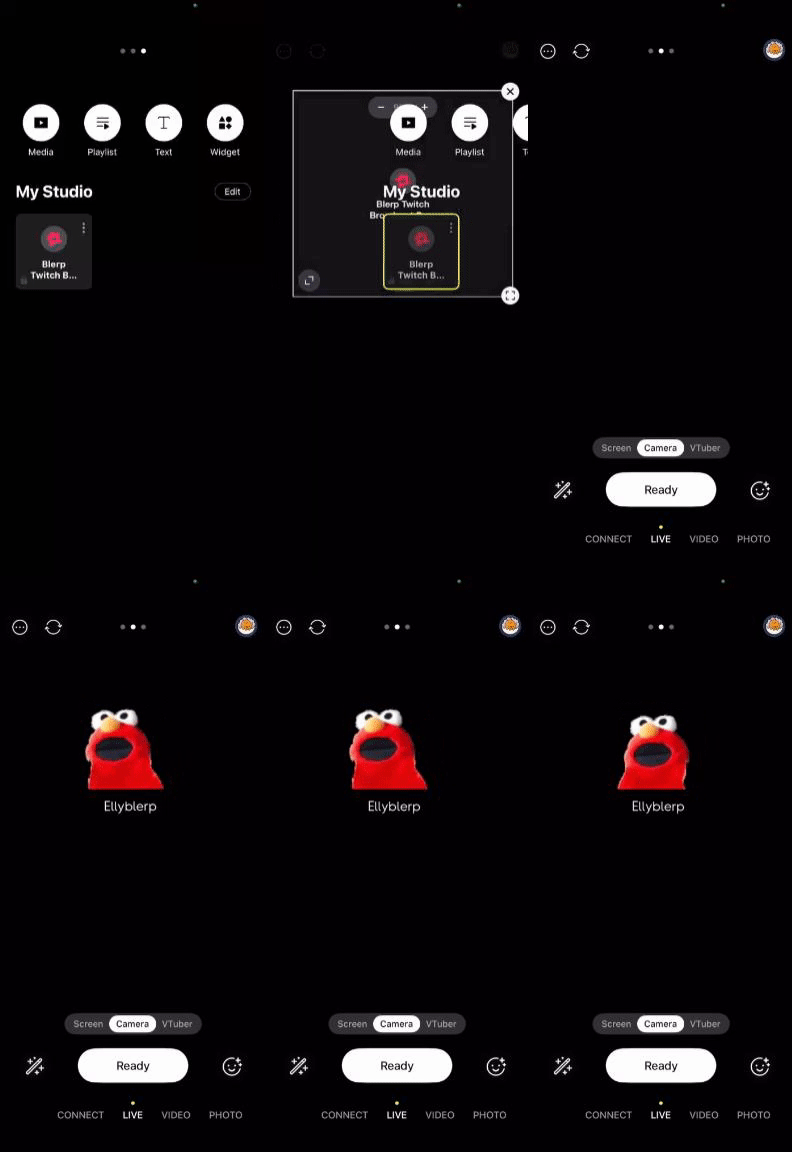
Want to level up your livestreams with fun, interactive sound alerts? Adding Blerp to Prism Live Studio is a great way to bring your community closer and add personality to your stream. Whether you’re just starting out or already growing a following, integrating Blerp takes only a few minutes—and it’s 100% worth it.
Here’s how to set up Blerp in Prism Live Studio in a few easy steps.
Step 1: Swipe Right to Access “My Studio”
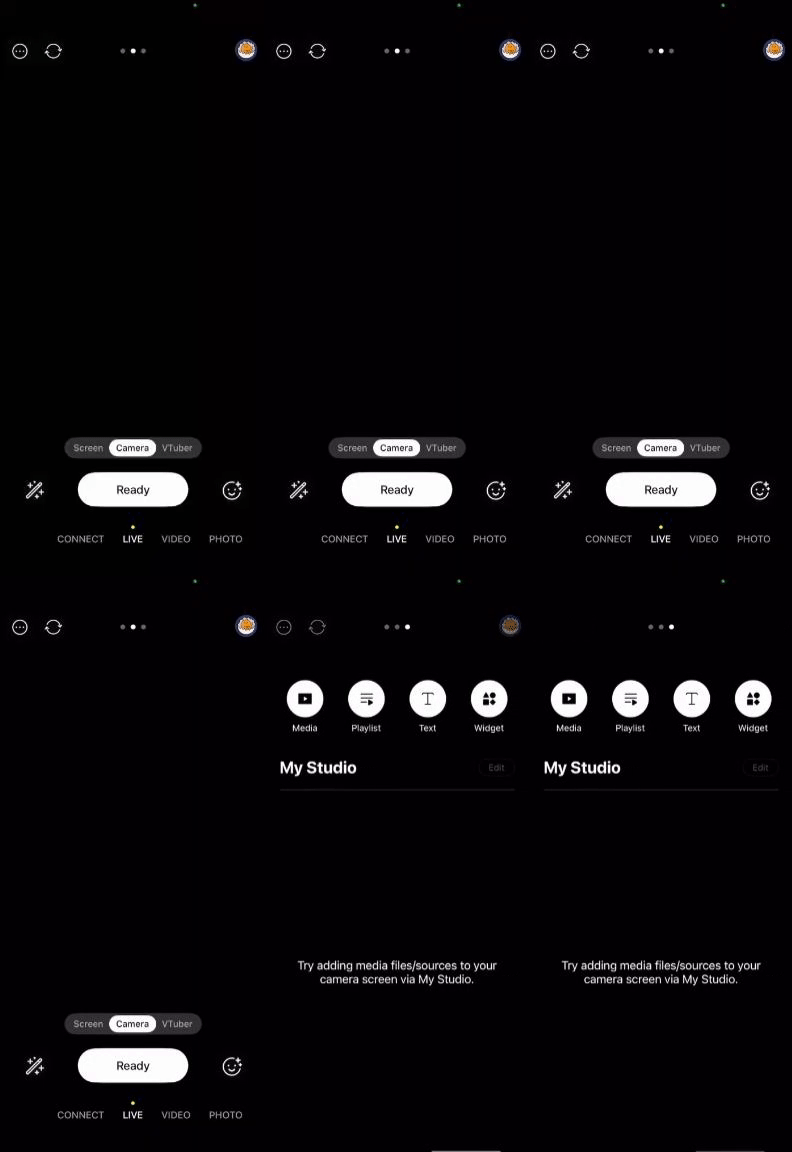
Launch Prism Live Studio and swipe right on the main screen to access My Studio. This is where you’ll customize your stream and add new widgets like Blerp.
Step 2: Add a Widget
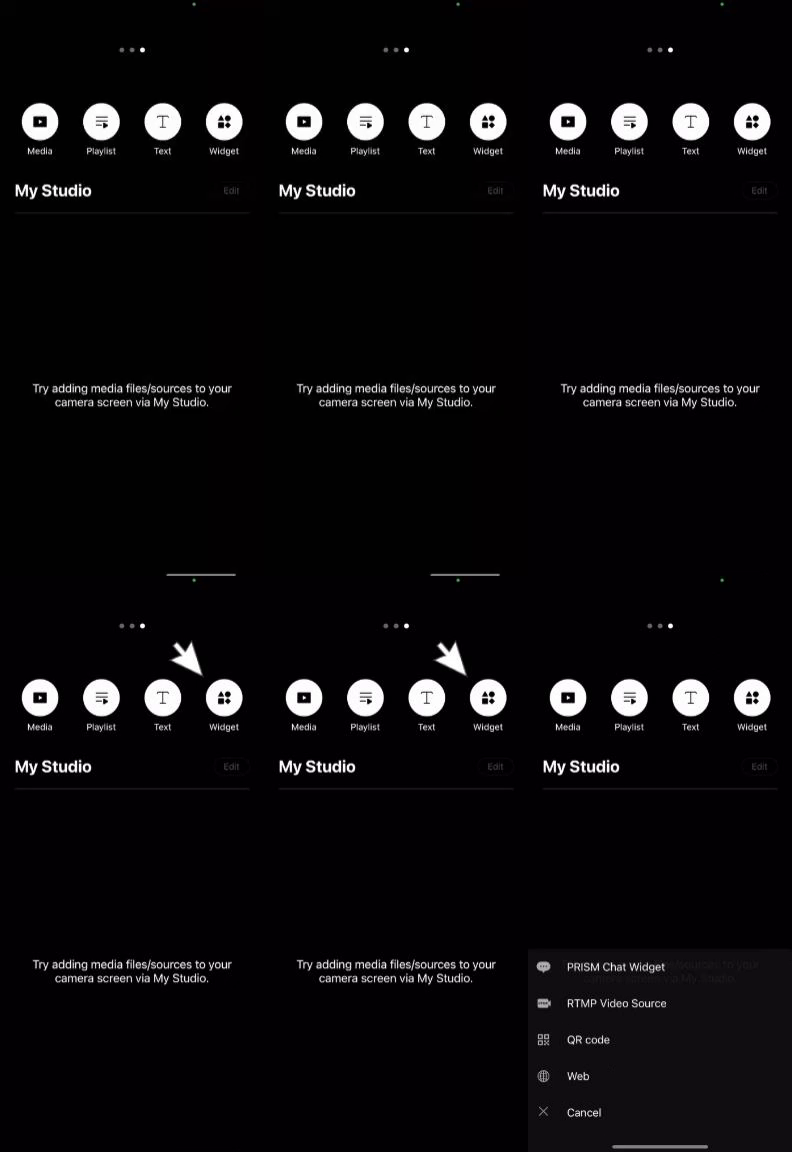
Tap on "Widget" to open your widget options. From here, you’ll be able to add external tools, overlays, and integrations to enhance your stream.
Step 3: Select “Web” as Your Widget Type
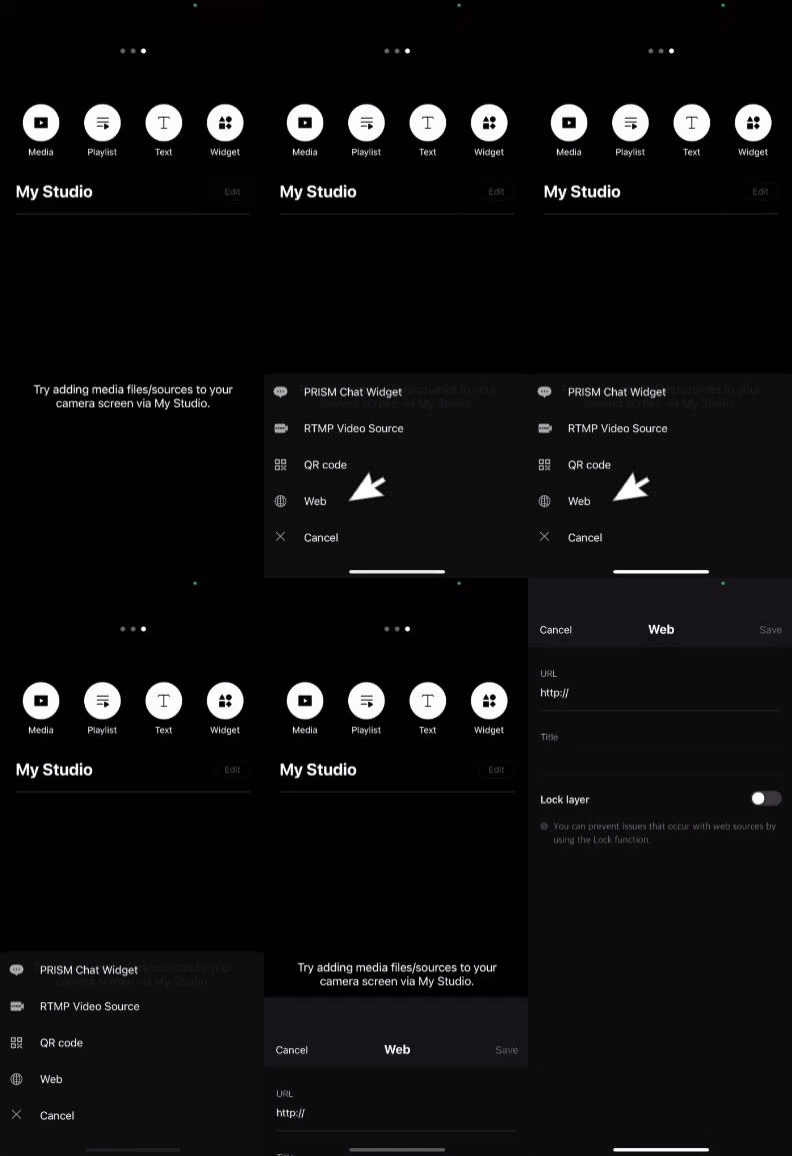
When prompted to choose a widget type, select “Web.” This option allows you to embed a browser source, like your Blerp alert overlay, into your stream layout.
Step 4: Paste Your Blerp Browser Source URL
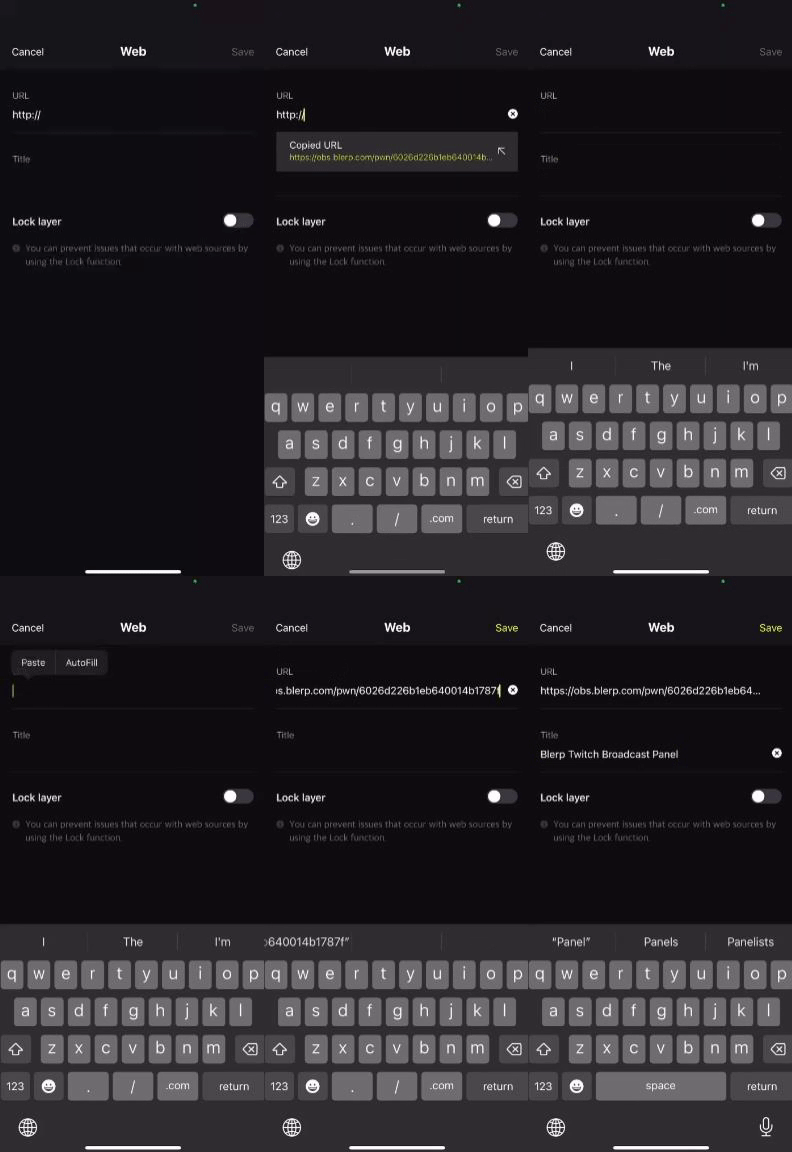
Head over to your Blerp Dashboard and copy the Browser Source URL for your alert widget. Then:
- Paste the URL into the URL field in Prism.
- Give the widget a name like “Blerp Alerts” to keep things organized.
- Tap Save.
Step 5: Position Your Blerp Alert
After saving, your new Blerp alert will appear under My Studio. Select it, then drag and resize the alert box to place it exactly where you want on your stream layout.
Tip: Consider placing it where it won’t block too much of your screen or webcam but is still visible for viewers to see the fun!
Step 6: Test Your Alert
To make sure everything is working smoothly:
- Go back to your Blerp Dashboard.
- Click the “Test Alert” button.
- Confirm that both the visual alert and audio play correctly in your Prism Live Studio stream preview.
If you hear and see the alert, you’re all set!
Final Thoughts
Adding Blerp to Prism Live Studio is an easy way to boost your stream’s energy and engage viewers with sound memes, funny audio clips, and fan driven moments. Whether it’s a scare alert or an inside joke, your community will love it, and you’ll love the hype it brings to your stream.
Need help customizing your Blerps or setting them up? Visit the Blerp Discord Server and reach out to our support team anytime.