What is WalkOn?
WalkOn is a unique feature by Blerp that offers a personalized streaming experience. Streamers control access, limiting it to specific tiered subscribers or starred users. A message typically indicates the required subscription tier or suggests asking the streamer for access.
This guide explains how to submit, access, and trigger WalkOns as a viewer to enhance your streaming interactions.
How To Submit a WalkOn
Submitting a WalkOn is simple and integrates with the Blerp extension on your favorite stream. Follow these steps:
- Visit the stream and locate the Blerp extension.
- Search the streamer’s sound library and select a sound.
- Click the three dots in the top right corner to open more options.
- Select “Submit WalkOn” to send your WalkOn for streamer approval.
Once submitted, the streamer will review and approve your WalkOn.
Accessing Your WalkOns
To view your WalkOns, navigate to the Blerp extension:
- Click the menu in the top left of the Blerp extension.
- Select “WalkOn” to see all pending and approved WalkOns.
Note: Streamers may also assign WalkOns to you, which will appear in this section.
How to Trigger Your WalkOns
There are three ways to trigger your approved or assigned WalkOns:
1. Autoplay
Enable autoplay to have your WalkOn play automatically when you join a stream:
Go to the Blerp extension menu and find your approved or assigned WalkOn.
Enable the autoplay feature.
A 20-second countdown starts before playback, allowing you to save your WalkOn if the stream is interrupted.
You may choose to Play the WalkOn right away, wait for the timer to be done or select 'Do later' to play your WalkOn later.
2. Manual Playback
Manually trigger your WalkOn by:
Accessing your WalkOns in the Blerp extension menu.
Selecting an approved or assigned WalkOn.
Clicking the Play WalkOn button.
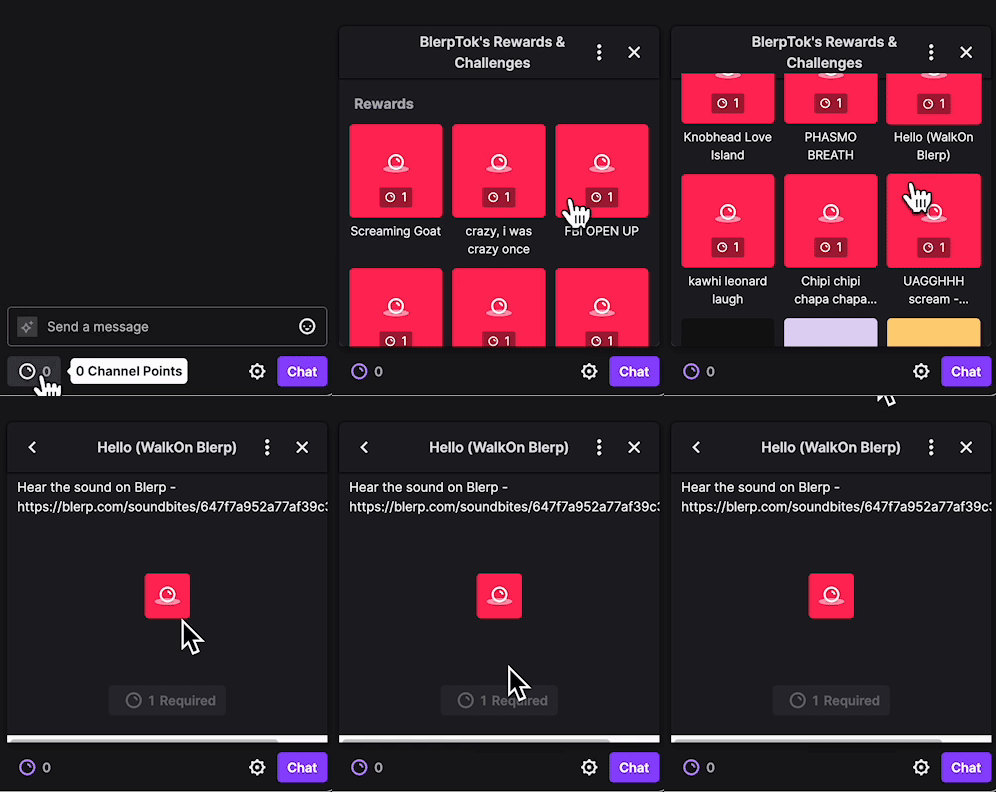
3. Channel Point Reward Override
If the streamer has set up a channel point reward for WalkOns:
- Go to the streamer’s “Rewards & Challenges” section.
- Look for the reward labeled “(WalkOn)” in parentheses.
- Redeem the reward to trigger your WalkOn without using channel points.
Are You a Streamer?
If you’re a streamer looking to set up WalkOn for your audience, check out our streamer setup guide.
Need Help with WalkOn?
For assistance or feedback, contact our team at [email protected] or join our Discord community.
Here Are Some Useful Links
🔗 Blerp Links
🎮 Twitch Official Hype Train Resources
📢 Streamer Growth & Engagement
📱 Social Media Promotion Tips
🛠 Recommended Twitch Extensions & Tools