Blerp’s Auctions and Votes are interactive features that let your viewers engage with your stream in real time. Using Bits or Beets, your audience can bid in auctions or vote on decisions, adding more fun, control, and connection to your content.
This guide walks you through how to set up both Blerp Auctions and Blerp Votes on your stream.
Blerp Auctions
Auctions let viewers place bids using Bits or Beets. The highest bidder wins, and those who don’t win get refunded. You also have the option to issue credits for use on other Blerp features.
Auction Ideas
- On-stream shoutout: Auction off a personal shoutout to the winner.
- Name my character: Let the winner choose the name of your in-game character.
- Join me on stream: Give the winner a chance to hop on your stream live.
How to Set Up Blerp Auctions
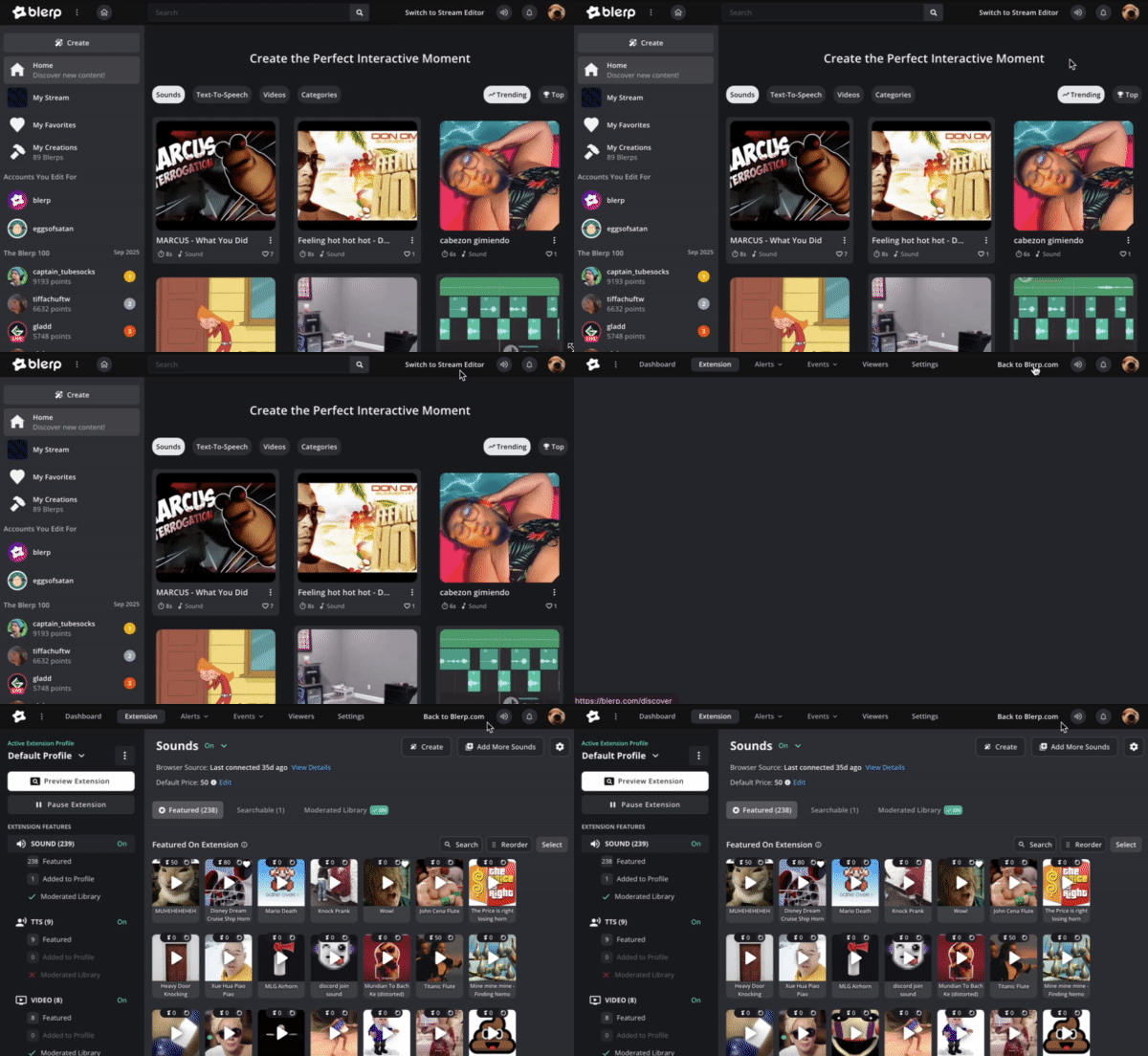
Go to Blerp Discover and switch to Stream Editor.
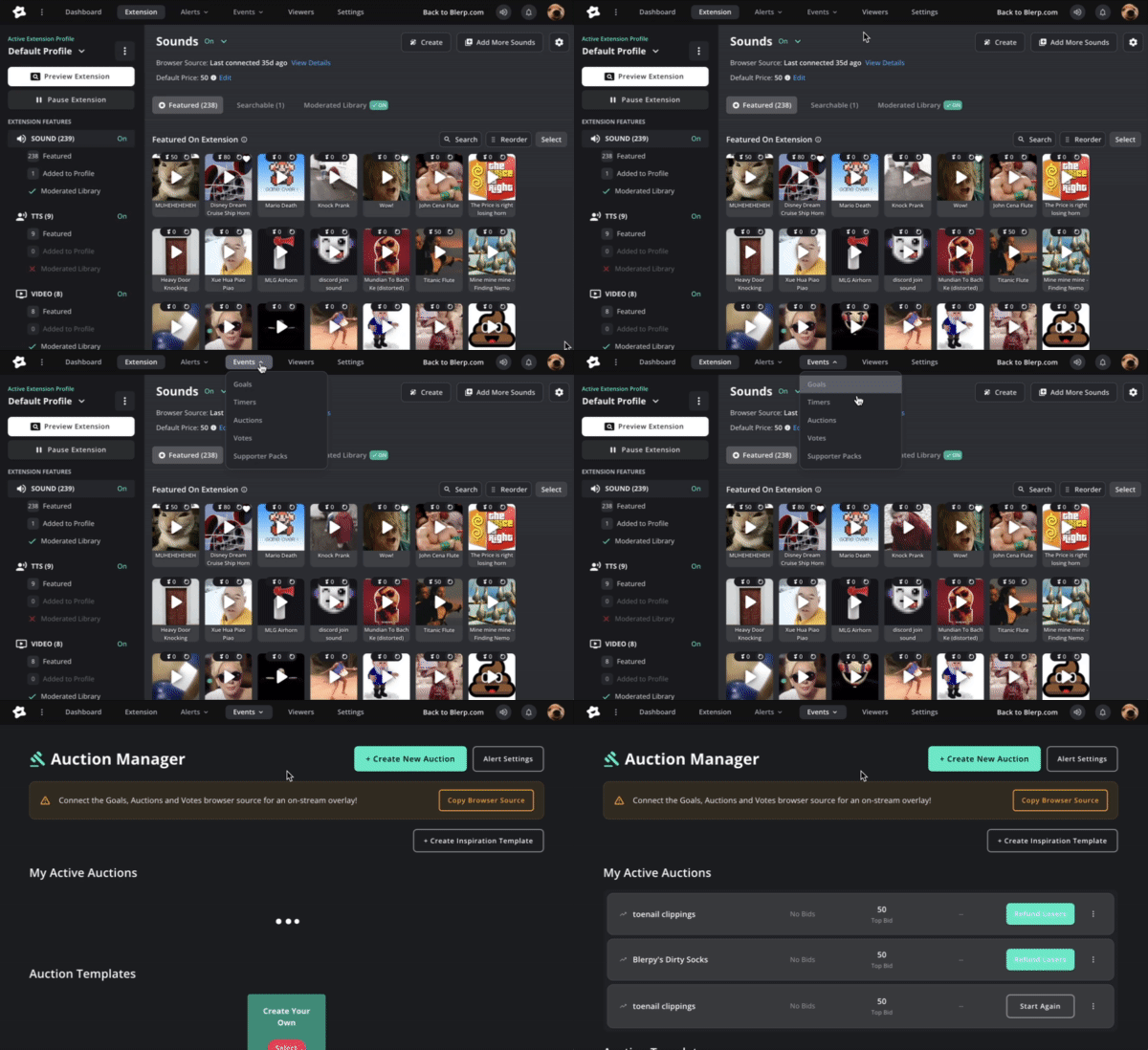
From the top menu, click Events, then select Auctions from the dropdown.
Connect the Auctions and Votes browser source to your streaming software (OBS, Streamlabs, etc.) so the overlay appears on your stream.
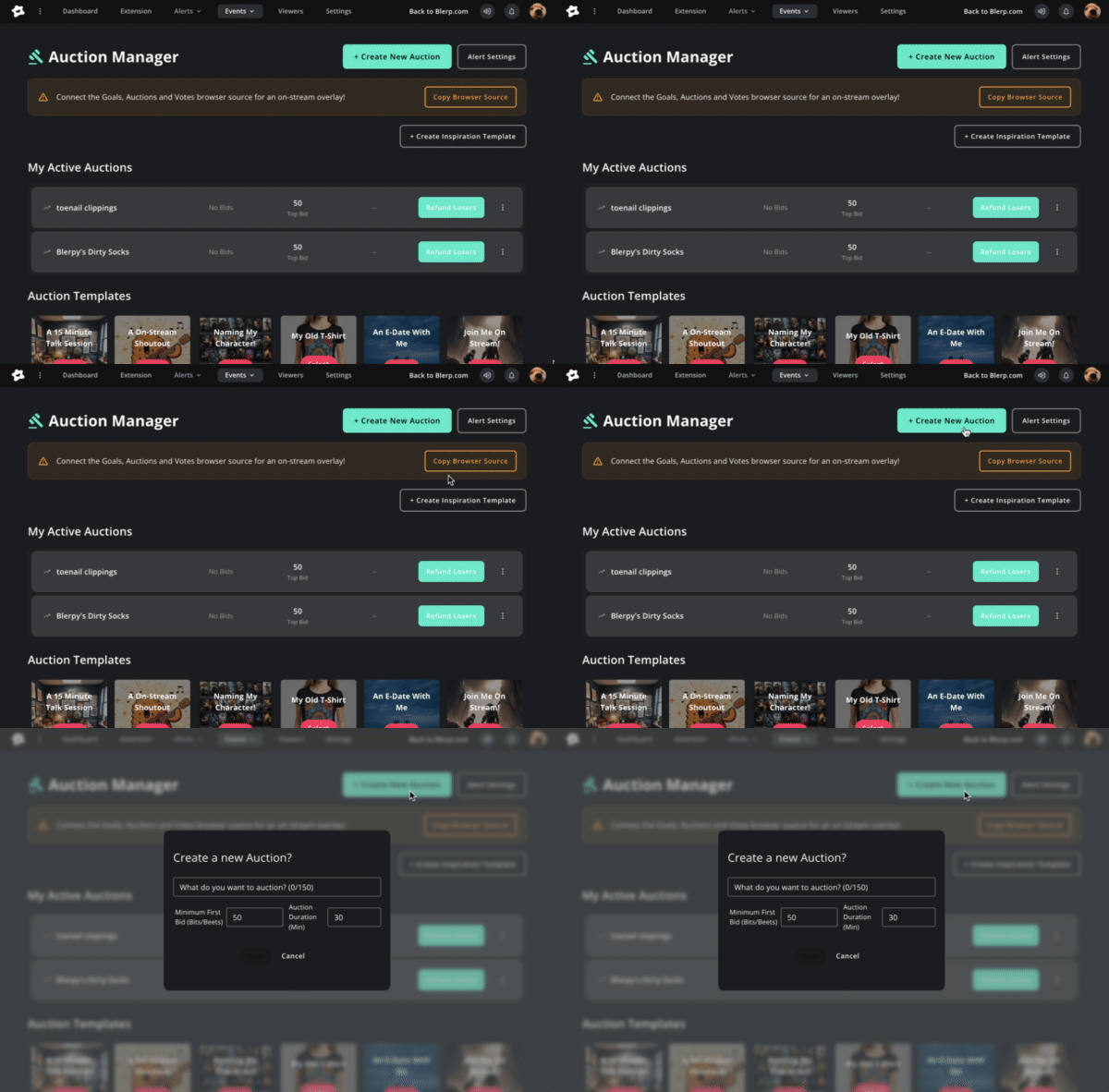
Click Create New Auction and fill in:
- Title of your auction
- Minimum first bid amount
- Auction duration
Under My Live Auctions, you can view active and past auctions, end an auction early, or refund losing bidders.
Blerp Votes
Votes let your viewers influence decisions on stream by casting their vote with Bits or Beets. You can set how much of their spend gets refunded if they lose.
How to Set Up Blerp Votes
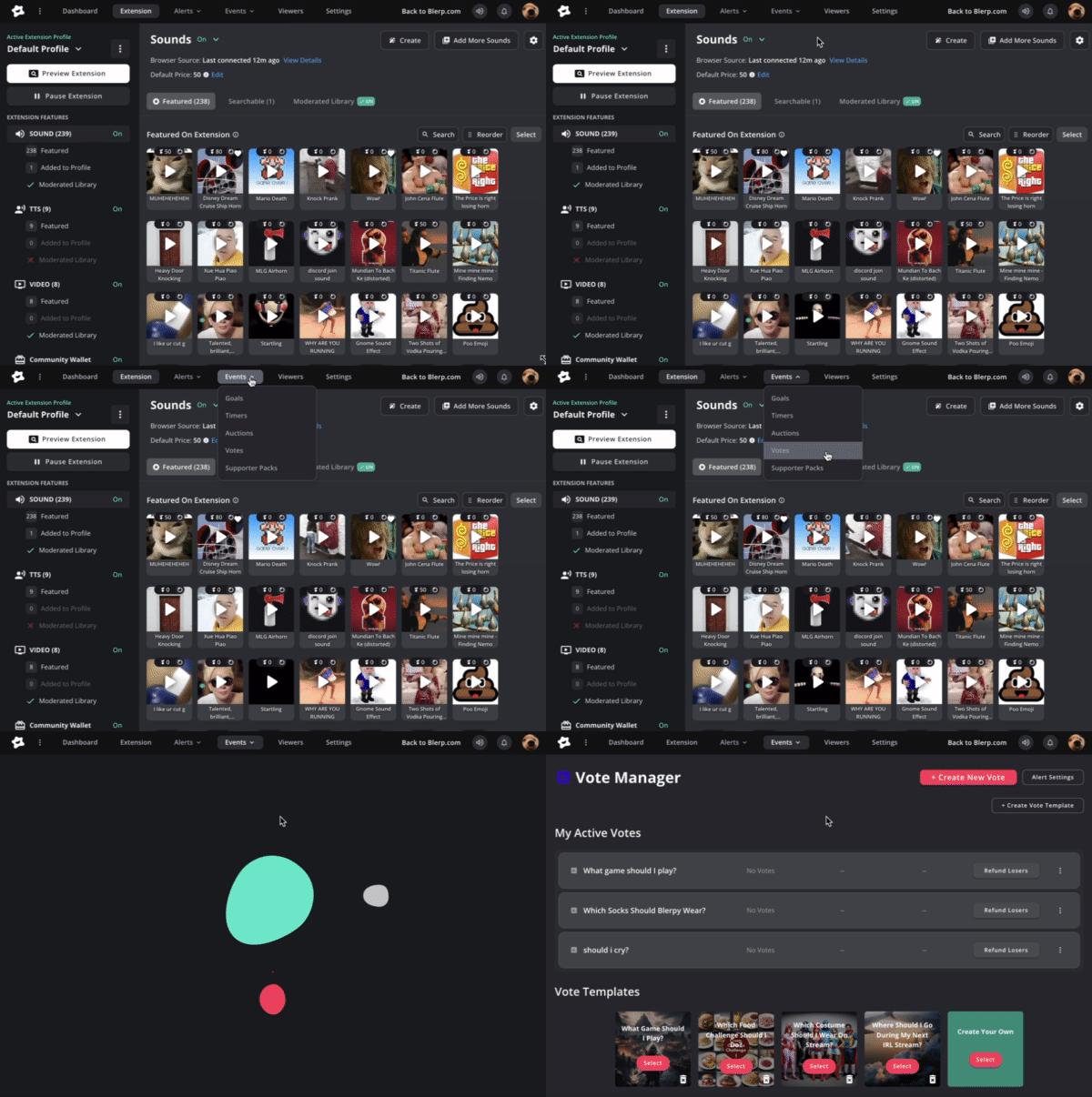
In your Stream Editor, go to Events and select Votes from the dropdown.
Connect the Auctions and Votes browser source to your streaming software so the voting overlay displays.
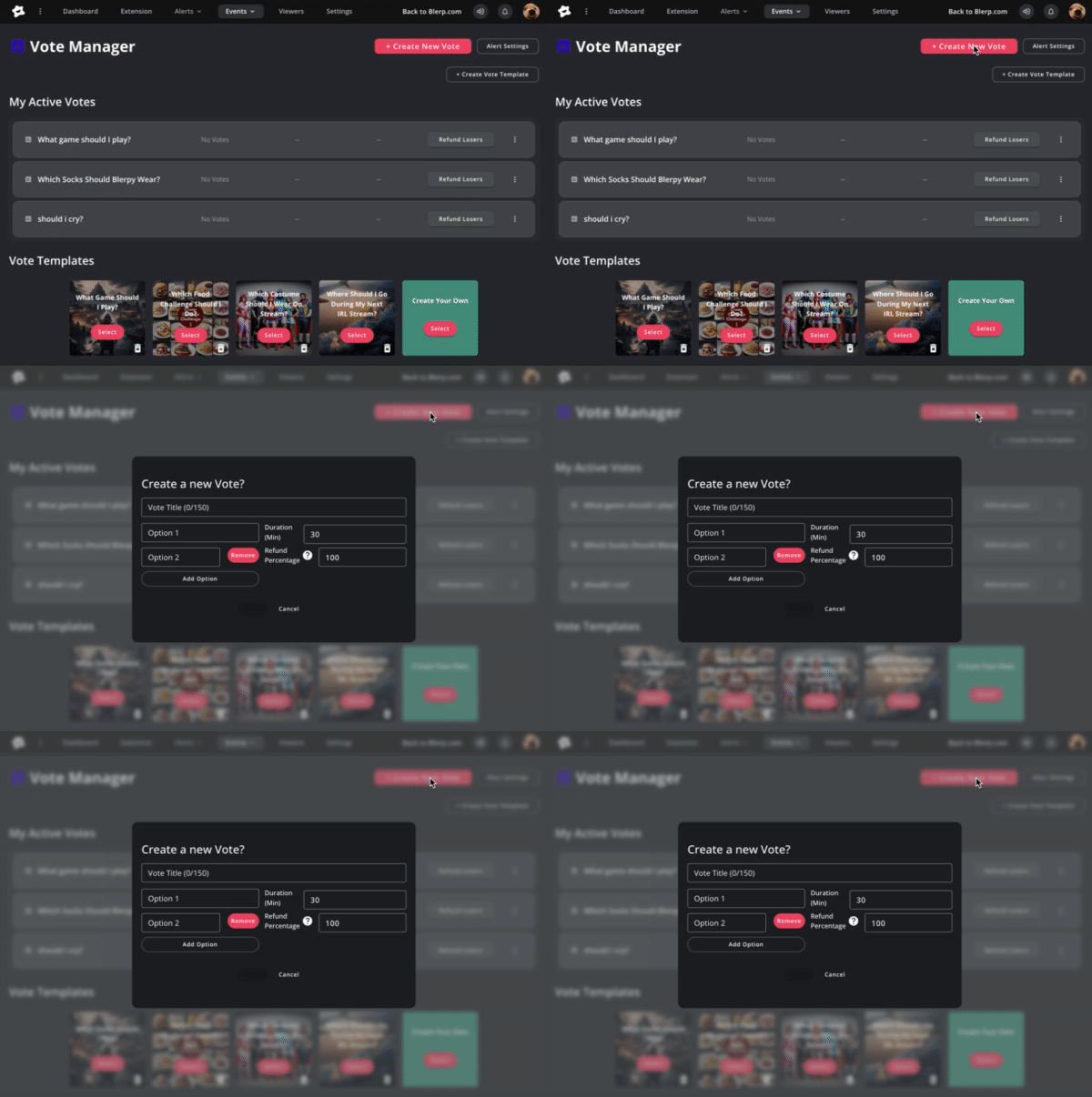
Click Create New Vote and fill in:
- Vote title
- Options viewers can choose from
- Vote duration
- Refund percentage for losing votes
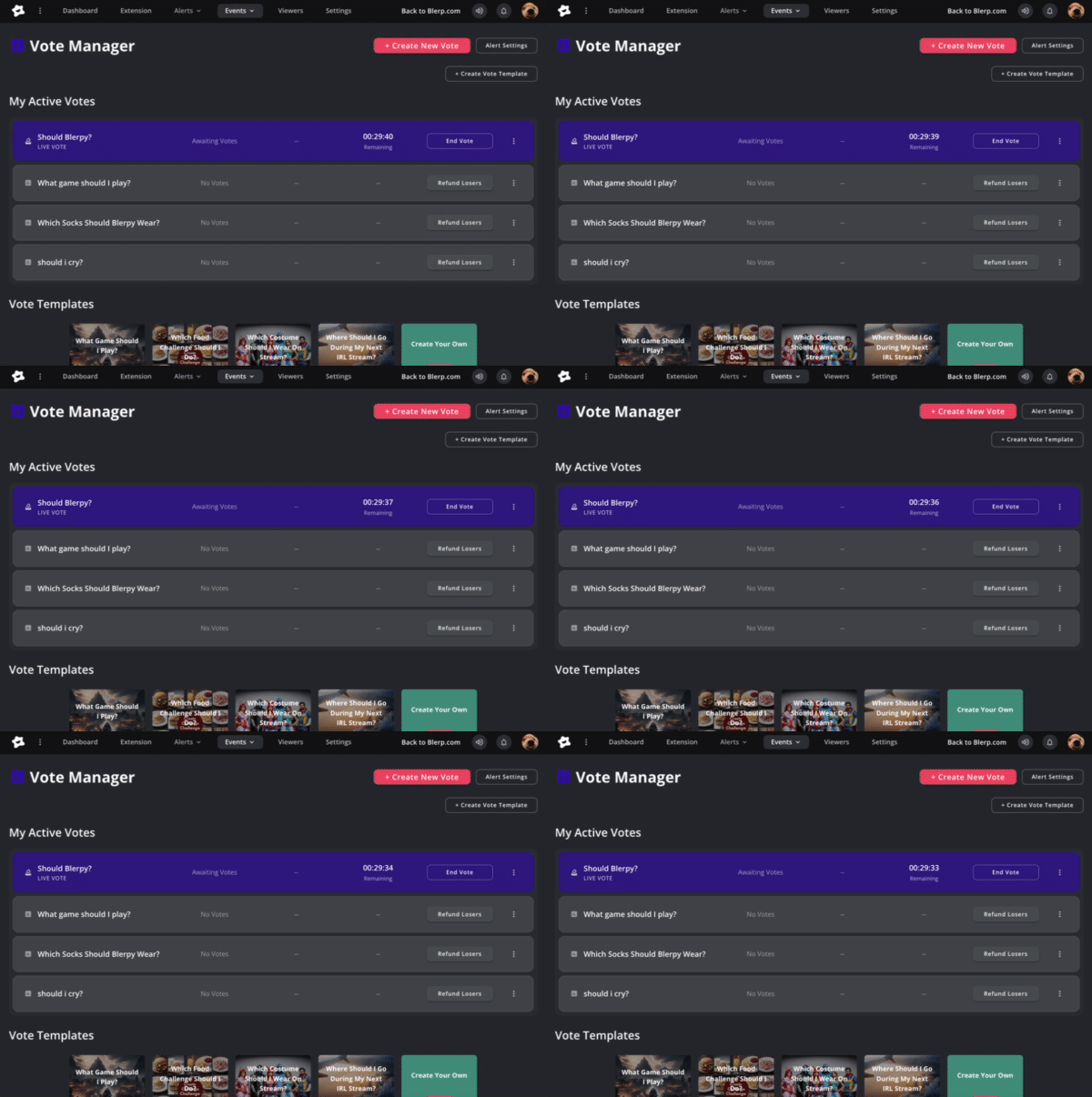
Under My Active Votes, you’ll see current and past votes. From here, you can track progress, end a vote, or issue refunds.
With Blerp Auctions and Votes, you give your viewers more control and more reasons to interact. Whether it’s deciding the next in-game move or competing for an exclusive shoutout, these tools make your stream more engaging and fun.