Instantly Play Any Sound Meme in Discord
Share millions of iconic audio clips, sound effects, and memes directly in your voice channels with the #1 Discord Soundboard Bot.
Get Started in 3 Simple Steps
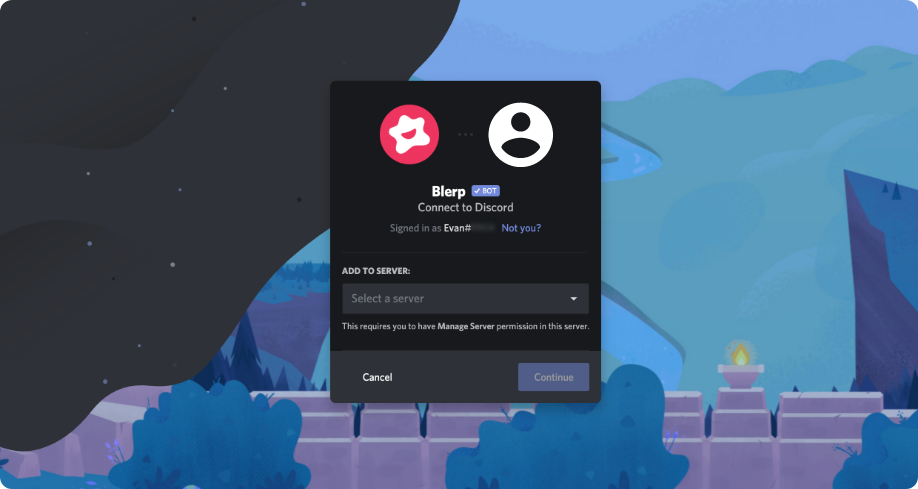
Add Blerp to Discord
Click the button below and authorize the Blerp bot to join your Discord server. It only takes a second!
Play Sounds Instantly
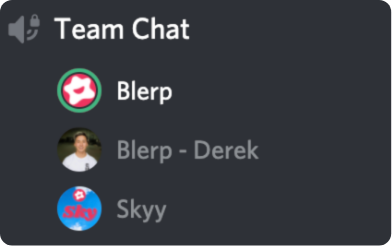
Use the /blerp search [term] command in chat, or log in to use the web soundboard console for easy sharing to voice channels.
Create & Organize
Discover millions of sounds on Blerp.com. Create your own soundbites, favorite clips, and build custom soundboards to use anywhere.
Unlock the Power of Sound
Instant Sound Sharing
Use simple Slash Commands like /blerp search or /blerp play directly in your Discord chat to find and instantly play the perfect soundbite reaction in your voice channel.

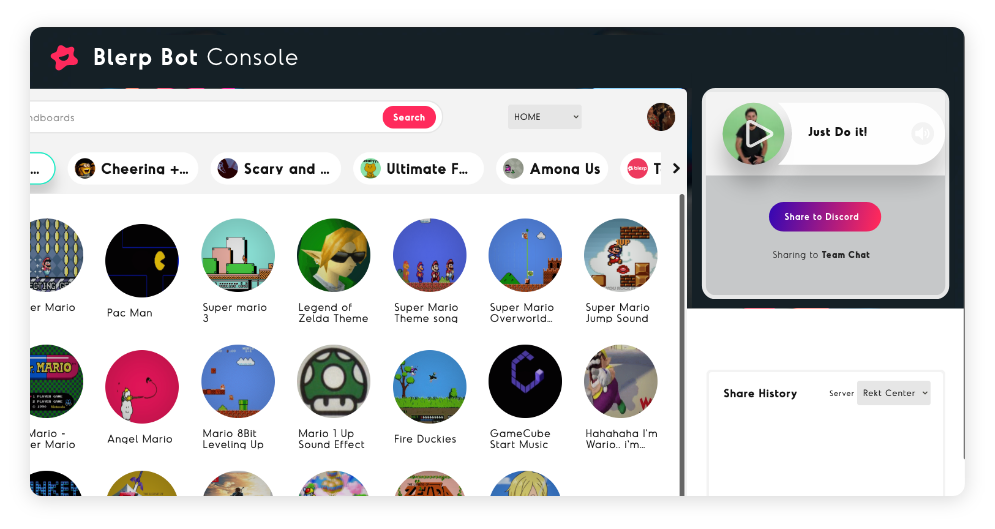
Control From the Web Console
Log in to access the Blerp web soundboard. Browse millions of sounds, manage your favorites and custom boards, and share audio to your connected Discord voice channel with a single click.
Unlimited Sounds, Your Way
Explore Blerp's massive library of trending memes, sound effects, and iconic moments. Can't find what you need? Easily upload your own audio files or clip sounds from YouTube to create custom blerps.

Built for Streamers & Their Communities
Your community lives beyond your live stream. Keep the energy, memes, and inside jokes alive 24/7 in your Discord server with the power of Blerp sounds.
- Engage Off-Stream: Let viewers share iconic stream moments and sound memes directly in voice chat.
- Unified Experience: Use the same Blerp sounds from your Twitch Channel Points or alerts within Discord.
- Strengthen Bonds: Create more shared experiences and inside jokes that bridge your stream and Discord.
- Simple & Fun: Easy for you and your mods to manage, seamless and entertaining for your community to use.
Frequently Asked Questions
Have questions about the Blerp Discord Soundboard Bot? We've got answers. If you don't see your question here, feel free to contact us!
How do I play sounds from the web or my phone?
Join a Discord server and voice channel where the Blerp bot is installed. Then, log in and use the Web Soundboard Console to browse and play sounds directly into your voice chat with a click.
How do I add the Blerp soundboard bot to our server?
Server admins can easily add the bot using the official invite link. Click the button below to get started:
How do I play a blerp using commands?
Simply type /blerp search [Search Term] or /blerp play [Search Term] in a text channel. If you're in a voice channel, the bot will join and play the sound. You can select from the top results presented. Using /blerp search gives you more options to scroll through.
Can I access my own blerps and boards?
Yes! Once you're logged in, you can access your favorited blerps and custom soundboards directly from the Web Soundboard Console. You can create and manage your boards on www.blerp.com.
How do I make my own soundbite?
To create your own soundbite, head over to www.blerp.com/create. Sign in to your account, and you can upload audio files or clip sounds directly from YouTube videos.
How do I get help with bot commands?
You can type /blerp help in any text channel where the bot is present to see a list of available commands and instructions. For more detailed help, join our official Support Discord!
Ready to Amplify Your Discord?
The Blerp Discord Soundboard Bot is your ultimate tool for bringing sounds, memes, and fun to your server. It's free, easy to use, and packed with features.
Explore the Web Soundboard Console, learn how to make your own soundbites at blerp.com/create, or get help by typing /blerp help in your server.
Need more assistance? Join our Official Blerp Support Discord!