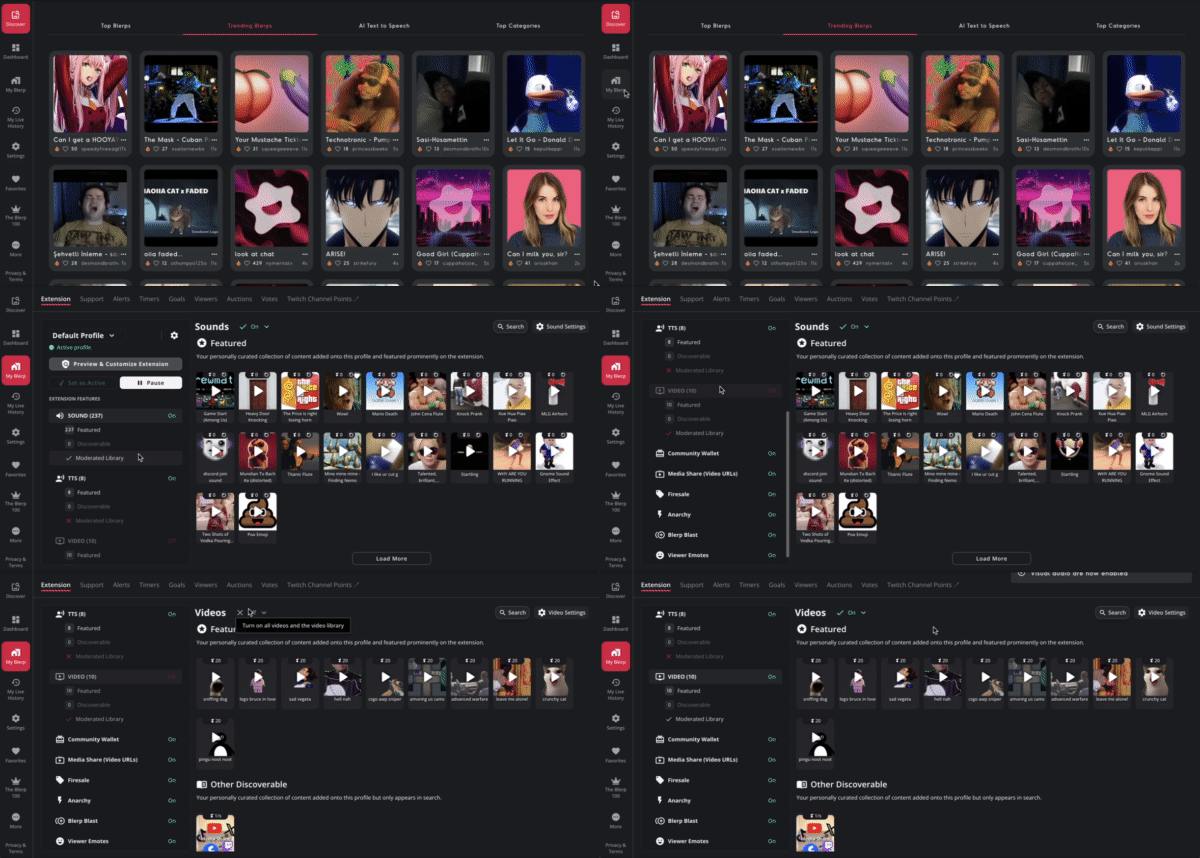
Blerp 2.0 is here, and with it comes one of our most exciting updates yet: Video Alerts. Now, your community can do more than just trigger sound effects, they can redeem short videos or overlays that pop up directly on your stream. Whether it's a meme, a jump scare, or a hilarious full-screen takeover, video alerts take interactivity to a whole new level.
Here’s how to set it all up in just a few clicks.
How to Enable Video Alerts
To get started with Video Alerts:
- Go to the “My Blerp” tab on the Blerp site.
- Click into the “Extension” section.
- Scroll down and find the “Video” option.
- Toggle it on to activate video content for your stream.
Once it's enabled, you can begin customizing your visual alerts.
Adding Videos to Your Extension
To add visual content:
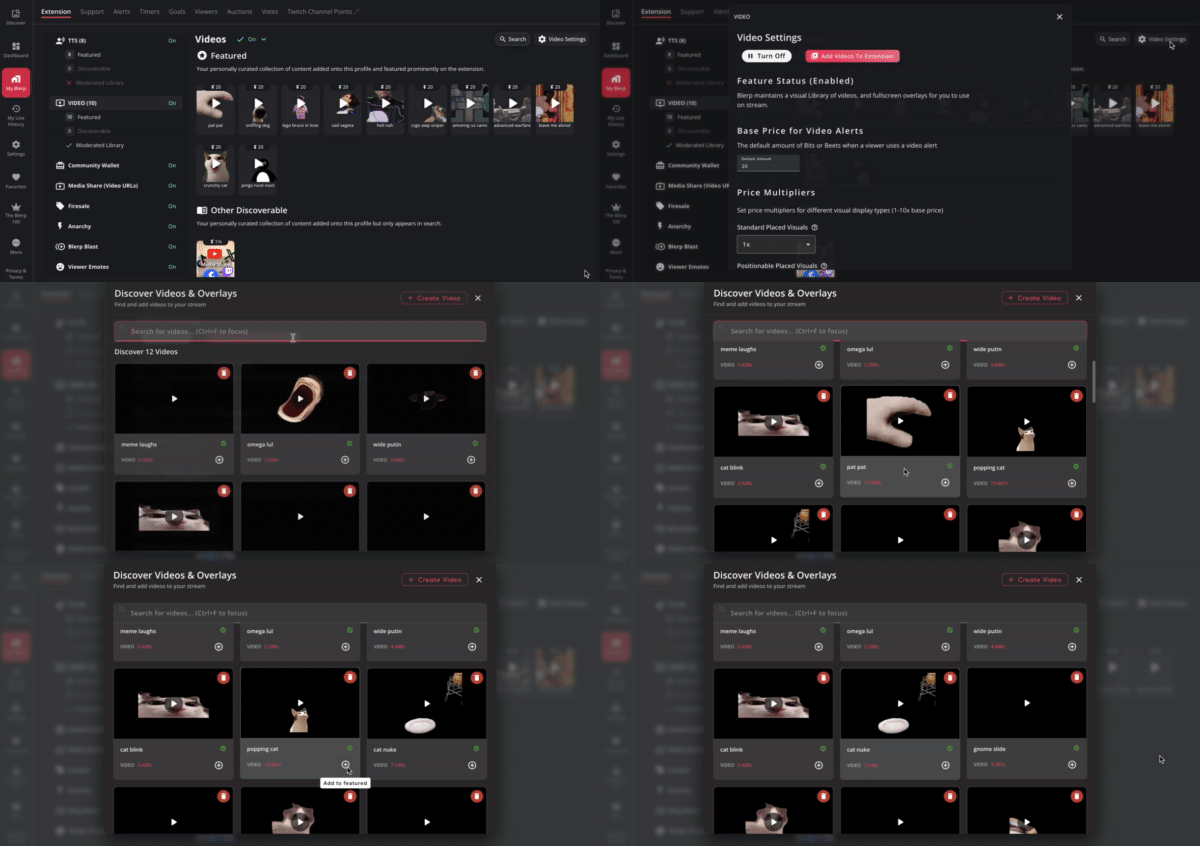
- Go to Video Settings under your extension options.
- Browse the Blerp Video Library and click the ➕ icon to add clips to your Featured Library.
- Want to upload your own content? Click “+Create Video” to upload a custom video clip or overlay.
Your community will be able to redeem any of the featured visuals during your stream, so be creative!
Customizing Video Alert Settings
Once your videos are added, fine-tune the experience with these settings:
- Base Price: Set the default cost for all video alerts.
- Price Multipliers: Adjust pricing based on video type:
- Standard
- Positionable (you can drag and place on stream)
- Fullscreen (takes over the whole screen)
- Maximum Positionable Size: Set how large positionable videos can appear (as a percentage of screen size).
- Active Visual Types: Choose which video types (standard, fullscreen, etc.) are available to viewers.
- Maximum Duration: Set how long visual content can stay on screen (in seconds).
Adjust Settings Per Video
Want more control? You can customize individual video alerts:
- Select the video from your library.
- Override the default price, display type, or volume for that specific video.
This is perfect if you want to charge more for fullscreen chaos or tone down the volume on a particularly loud clip.
Final Tips
- Test your setup before going live to make sure everything works the way you want.
- Combine with other Blerp features like Firesales or Anarchy Mode to supercharge engagement.
Bring Your Stream to Life with Video Alerts
Video alerts are more than just eye candy, they’re a way for your community to directly shape your stream in real time. Whether it’s a perfectly timed meme or a ridiculous fullscreen takeover, Blerp’s new video feature adds a whole new layer of fun.
So fire it up, let your viewers take control, and turn your stream into an interactive experience like no other.