Incentivizing your Twitch subscribers is an easy win for boosting engagement and rewarding loyalty. One effective way to do this is by offering discounts on Blerp bit redemptions exclusively for your subscribers. This guide walks you through a step-by-step process so you can get everything set up quickly and confidently.
Why Use Subscriber Discounts on Blerp?
Subscriber discounts let your supporters redeem Blerp sounds for fewer bits. It’s a simple way to:
Reward paying subscribers
Encourage more sound redemptions
Keep chat active and interactive
Add extra value to subscribing on your channel
Step-by-Step: Set Subscriber Discounts
1. Go to Blerp.com
Start by heading to Blerp.com and logging into your account.
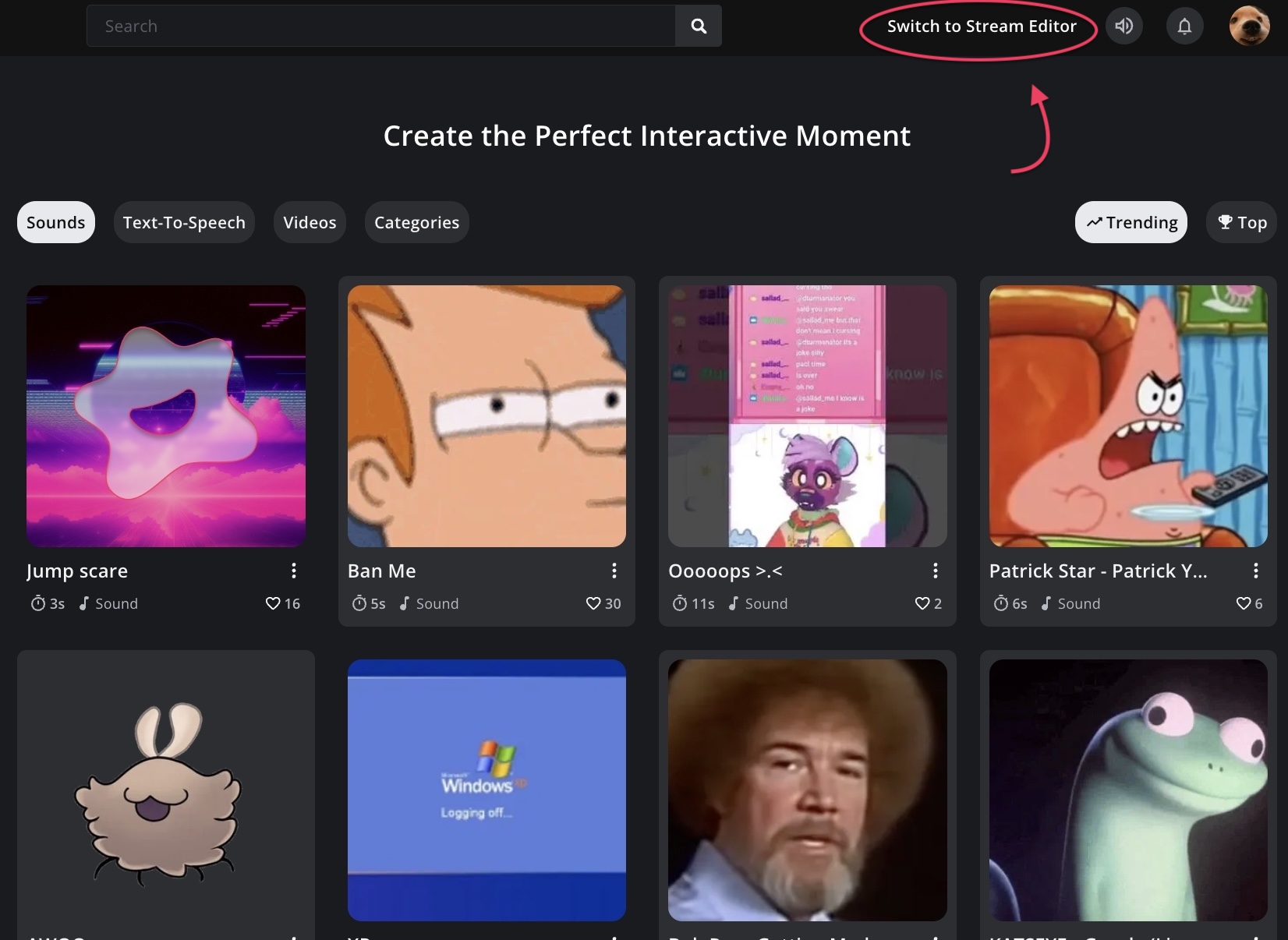
2. Switch to the Stream Editor
Once logged in, select “Switch to Stream Editor” from your dashboard. This opens the main control center for events, sounds, and rewards.
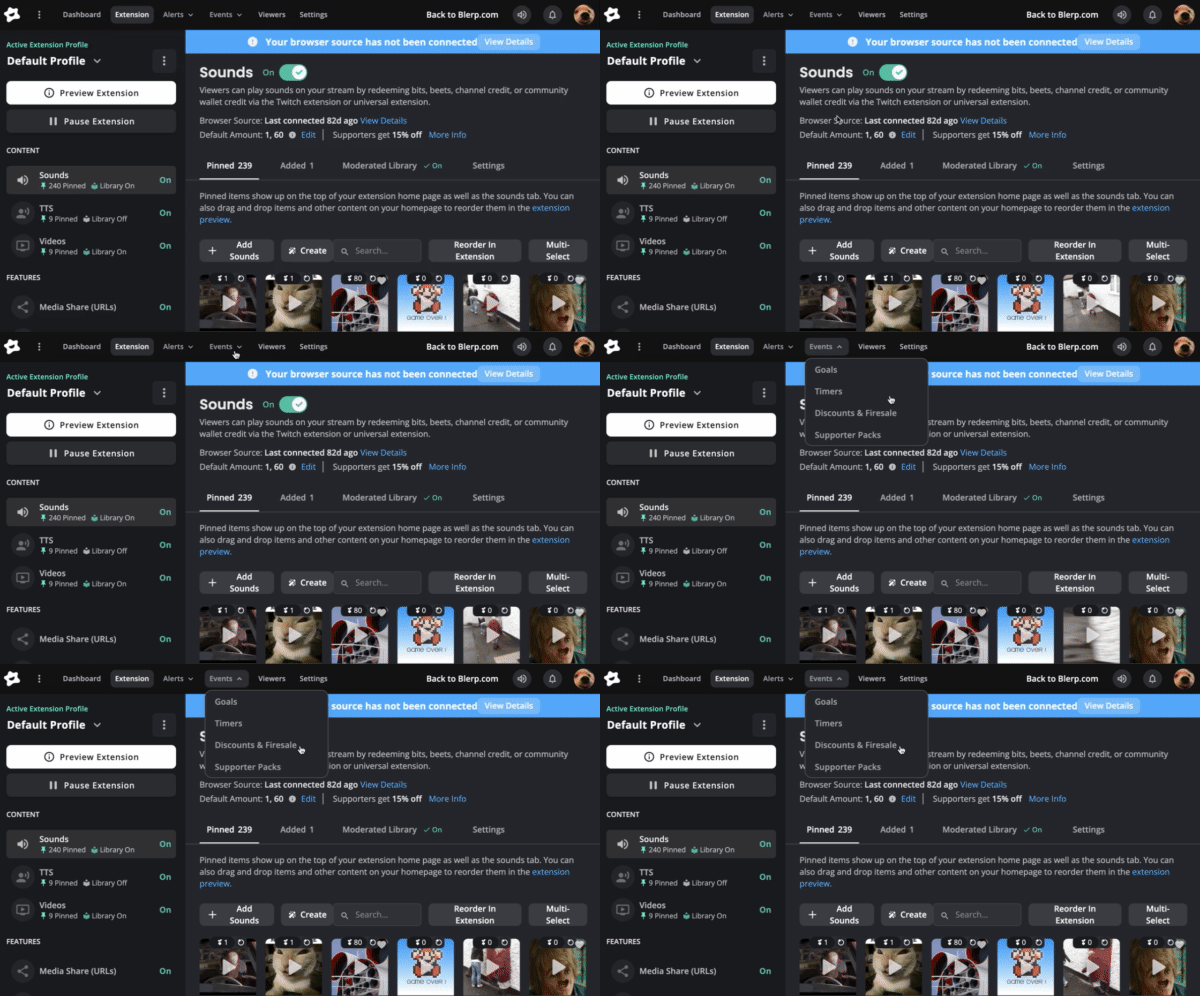
3. Open Events Settings
In the Stream Editor:
This is where all supporter-based discounts are managed.
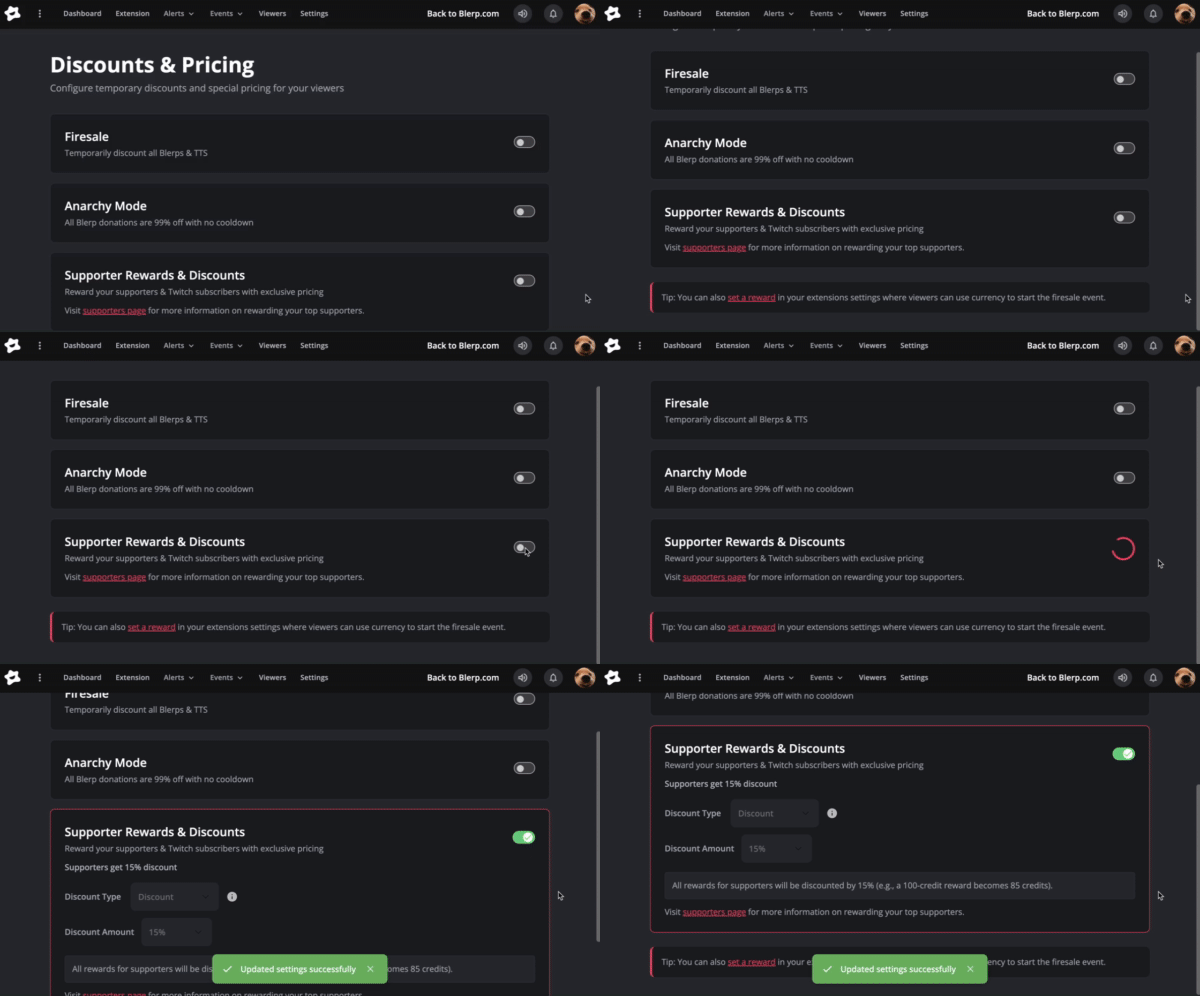
4. Enable Supporter Rewards & Discounts
Locate “Supporter Rewards & Discounts” and toggle it ON.
This activates subscriber-based pricing for your Blerp sounds.
5. Choose Discount Type and Amount
Once enabled, you can customize how discounts work:
You can configure discounts anywhere from 5% up to 100% off, depending on how generous you want to be.
Alternative Method: Set Discounts via Supporter Packs
You can also manage subscriber discounts through the Supporter Packs page:
Visit https://blerp.com/supp
Open the Events dropdown menu
Select “Supporter Packs”
Configure discounts directly from your supporter pack settings
This method is especially useful if you want to bundle discounts with other supporter perks.
Final Thoughts
Setting up subscriber discounts on Blerp is one of the easiest ways to add value to subscribing while keeping your stream fun and interactive.
Try different discount levels, see how your community responds, and fine-tune what works best for your channel.
Need help? Join the Blerp Discord to get support directly from the Blerp team and community.