Level Up Your Discord With Blerp's Soundboard
Imagine your Discord voice chat bursting with laughter as a perfectly timed meme sound echoes through the channel.
That’s the magic of a soundboard for Discord, turning ordinary conversations into unforgettable moments.
Whether you’re gaming, streaming, or just hanging out, soundboards add a layer of fun that keeps everyone engaged.
Enter Blerp, the ultimate Discord soundboard bot that’s here to supercharge your server.
With Blerp, you get instant access to thousands of meme sounds, game clips, and iconic quotes, all ready to play with a simple command. It’s easy to use, packed with features, and designed to make your voice chats pop.
This blog is all about why Blerp’s soundboard for Discord is the top choice for anyone looking to spice up their server. We’ll dive into its standout features, show you how to set it up, and share tips to make your community buzz with excitement.
Stick around to discover how Blerp can transform your Discord experience with the best soundboard for Discord out there.
What is a Discord Soundboard?
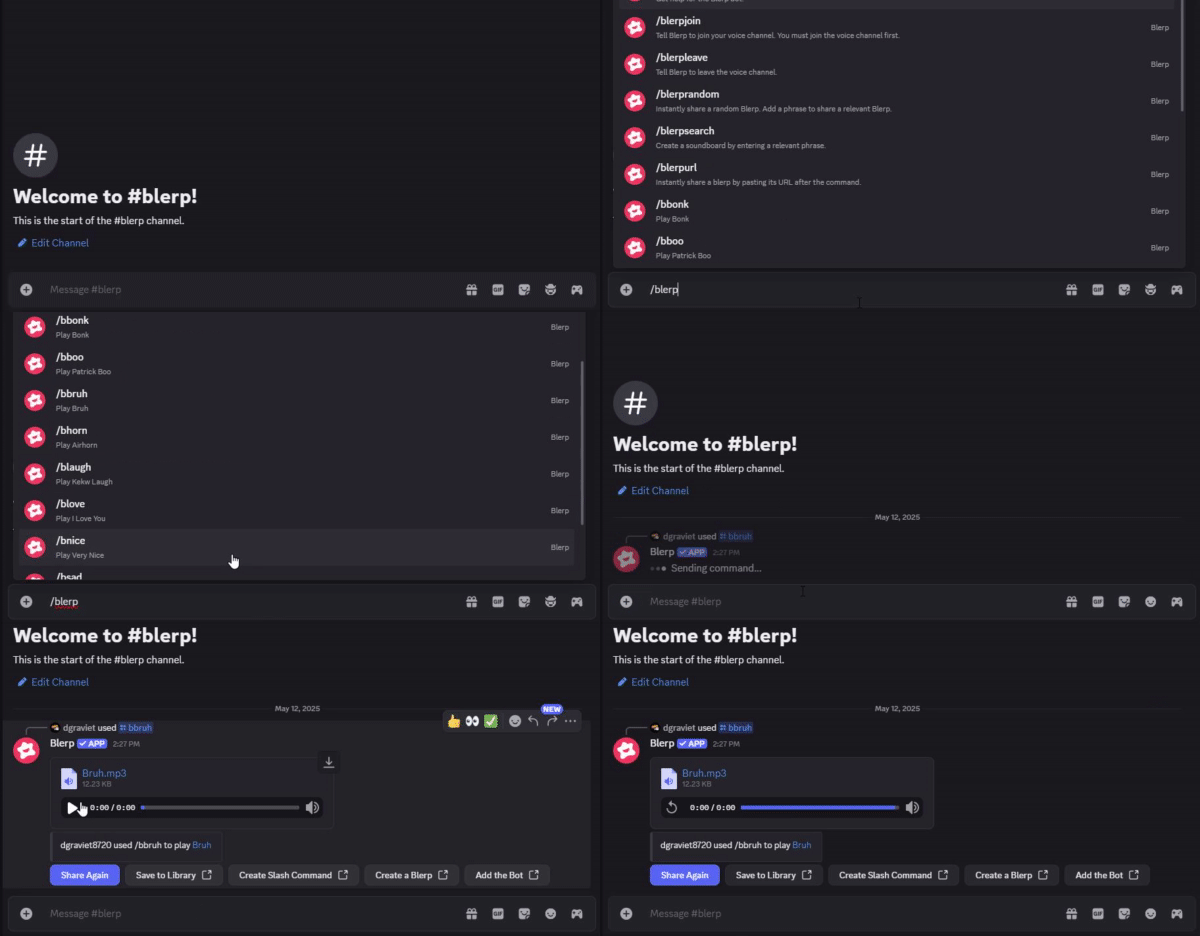
A Discord soundboard is a tool that lets you play short audio clips in voice channels. Think meme sounds, sound effects, or famous movie quotes blasting through your server at just the right moment.
Soundboards are a hit because they add humor and personality to Discord chats. They make gaming sessions more epic, streams more engaging, and casual hangouts way more fun.
From clutch victory sounds to funny one-liners, a soundboard for Discord brings your server to life. It’s like having a DJ for your voice channel, ready to drop the perfect clip.
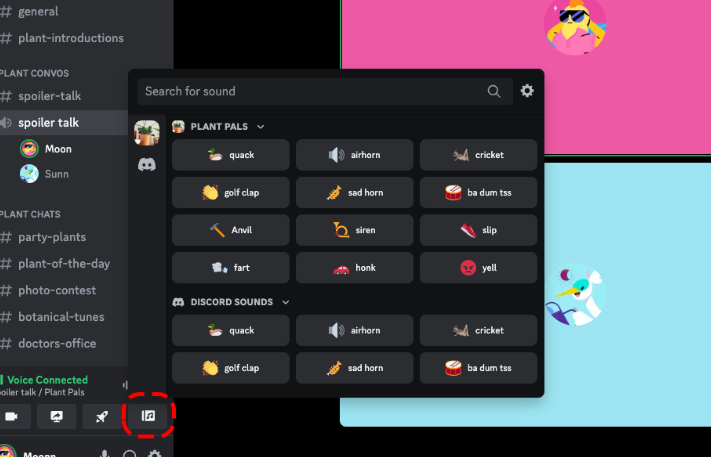
Discord does offer a built-in soundboard, but it’s pretty limited with only eight sounds. Plus, you need a Nitro subscription to upload custom clips, which isn’t ideal for most users.
That’s where a robust solution like Blerp comes in. Blerp’s soundboard for Discord offers thousands of sounds and easy customization, no Nitro required.
Why Choose Blerp’s Soundboard for Discord?
Blerp’s soundboard for Discord is packed with features that make it a game-changer for your server. Its massive library of sound clips includes memes, game sounds, and iconic quotes, ready to liven up any voice chat.
Using Blerp is a breeze with simple slash commands like
b!p [keywords]
or
b!s [keywords]
for instant sound playback. You can also upload custom sounds to tailor the experience to your server’s vibe.
Blerp integrates seamlessly with Discord’s voice and text channels, ensuring smooth performance. Plus, it gets regular updates with fresh sound packs to keep your server buzzing with new content.
The benefits are clear: Blerp makes voice chats more interactive and fun, boosting community engagement. Unlike Discord’s Nitro-locked soundboard, Blerp is free to use with tons of sound options.
Blerp even works across platforms like Teamspeak and Skype, making it super versatile. This flexibility sets it apart from other soundboard solutions.
What makes Blerp truly special is its community-driven sound library and effortless setup. Compared to bots like Resanance or Voicemod, Blerp’s soundboard for Discord is easier to use and packed with crowd-sourced sounds that keep your server fresh and fun.
How to Set Up Blerp’s Soundboard for Discord
Getting Blerp’s soundboard for Discord up and running is quick and easy. Follow these steps to bring epic sounds to your server in no time.
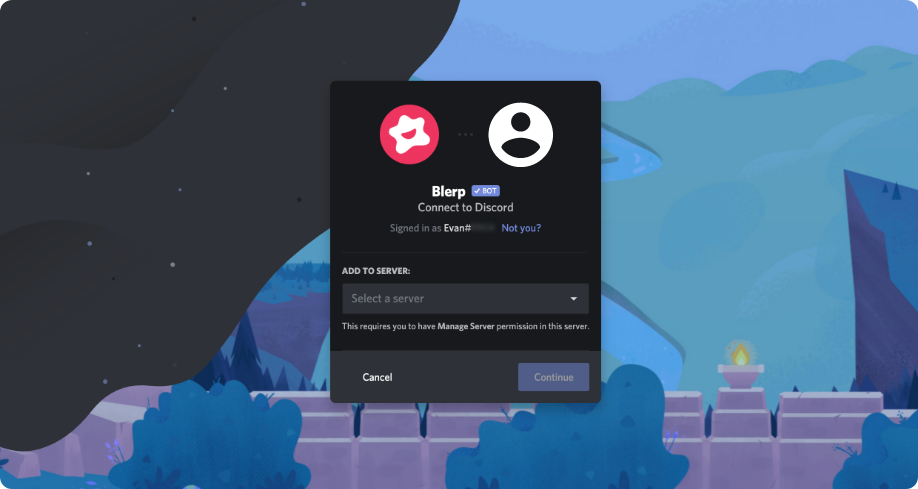
- Step 1: Invite the Blerp Bot - Head to the official Blerp website and invite the Blerp bot to your Discord server. Just click the invite link and select your server—it takes seconds.
- Step 2: Set Permissions - Make sure the Blerp bot has permissions to join voice channels. Check your server’s role settings to grant access for smooth sound playback.
- Step 3: Play Sounds with Commands - Use simple commands like b!p [sound name] or b!s [keyword] to search and play sounds instantly. For example, type b!p victory to drop a triumphant clip.
- Step 4: Upload Custom Sounds - Personalize your soundboard by uploading custom sounds via Blerp’s web console or bot commands. Create clips that match your server’s unique style.
- Step 5: Get Help When Needed - Type b!help for a list of commands or join Blerp’s Discord community for extra support. The community is full of tips and friendly advice.
Tips for Success
- Curate Themed Sound Packs: Pick sounds that fit your server’s vibe, like gaming sound effects or anime quotes, to keep things relevant.
- Encourage Collaboration: Let server members upload their own sounds for a fun, shared experience.
- Control Permissions: Adjust bot settings to limit who can play sounds, preventing spam and keeping chats enjoyable.
Ready to Transform Your Discord Server?
Don’t wait—add Blerp’s soundboard for Discord today and make your voice chats unforgettable! Get started now and bring the fun to your server with just a few clicks.
Use Cases for Blerp’s Soundboard in Discord
Blerp’s soundboard for Discord is a versatile tool that elevates all kinds of servers. Here’s how different communities can use it to boost engagement and fun.
Gaming Communities
Drop iconic game sounds like a “headshot” effect or victory anthems during intense matches. Blerp’s soundboard for Discord makes every clutch moment epic and memorable.
Streaming
Keep viewers hooked by adding sound effects to react to live stream highlights, like a dramatic “fail” sound for a missed shot. These clips create engaging, shareable moments that elevate your stream.
Social Servers
Break the ice in voice chats with funny meme sounds or classic movie quotes. Blerp’s vast library helps spark laughter and build stronger connections among members.
Role-Playing Groups
Enhance D&D or other RPG sessions with immersive sound effects, like creaking doors or battle cries. Blerp’s soundboard for Discord adds depth to storytelling, making every session unforgettable.
Real-World Example
Take the “PixelPulse” gaming server, which struggled to keep voice chats lively. After adding Blerp, they used meme sounds like “Mission Passed” to celebrate wins, transforming quiet matches into hype-fueled celebrations. Engagement soared, with members logging in just to join the soundboard fun.
Comparing Blerp to Other Discord Soundboard Options
When it comes to choosing a soundboard for Discord, Blerp stands tall among competitors like Resanance, Voicemod, Soundpad, and Discord’s native soundboard. Each option has its strengths, but Blerp’s unique features make it a top pick for Discord users looking to enhance their voice chats.
Competitors Overview
- Resanance: A free, Windows-only soundboard with hotkey support and a button deck for quick playback. It’s versatile but requires a complex setup with virtual audio cables.
- Voicemod: A popular soundboard and voice changer with a large, community-updated library. Its free version is limited, and premium features require a subscription.
- Soundpad: A paid soundboard ($4.99) with volume normalization and a built-in editor. It’s feature-rich but lacks a button deck and is Windows-only.
- Discord’s Native Soundboard: Built into Discord, it offers eight preloaded sounds for free but requires Nitro for custom uploads, limiting its flexibility.
Why Blerp Stands Out
Blerp’s soundboard for Discord shines with its free access to a massive library of over 1 million sounds, from memes to game effects, no subscription needed.
Unlike Soundpad or Voicemod’s premium plans, Blerp keeps costs at zero while delivering extensive options.
Setup is a breeze—invite the Blerp bot, grant permissions, and start playing sounds with simple slash commands.
This is far simpler than self-hosted bots like discord-soundbot or Resanance, which often require virtual audio cables and technical know-how.
Blerp’s community-driven library gets regular updates with fresh, user-contributed sounds, keeping your server vibrant. In contrast, apps like Soundpad rely on static libraries, and even Voicemod’s monthly updates can’t match Blerp’s crowd-sourced variety.
Blerp’s combination of a vast, free sound library, easy setup, and community-driven updates makes it the go-to soundboard for Discord users who want fun and flexibility without the hassle or cost.
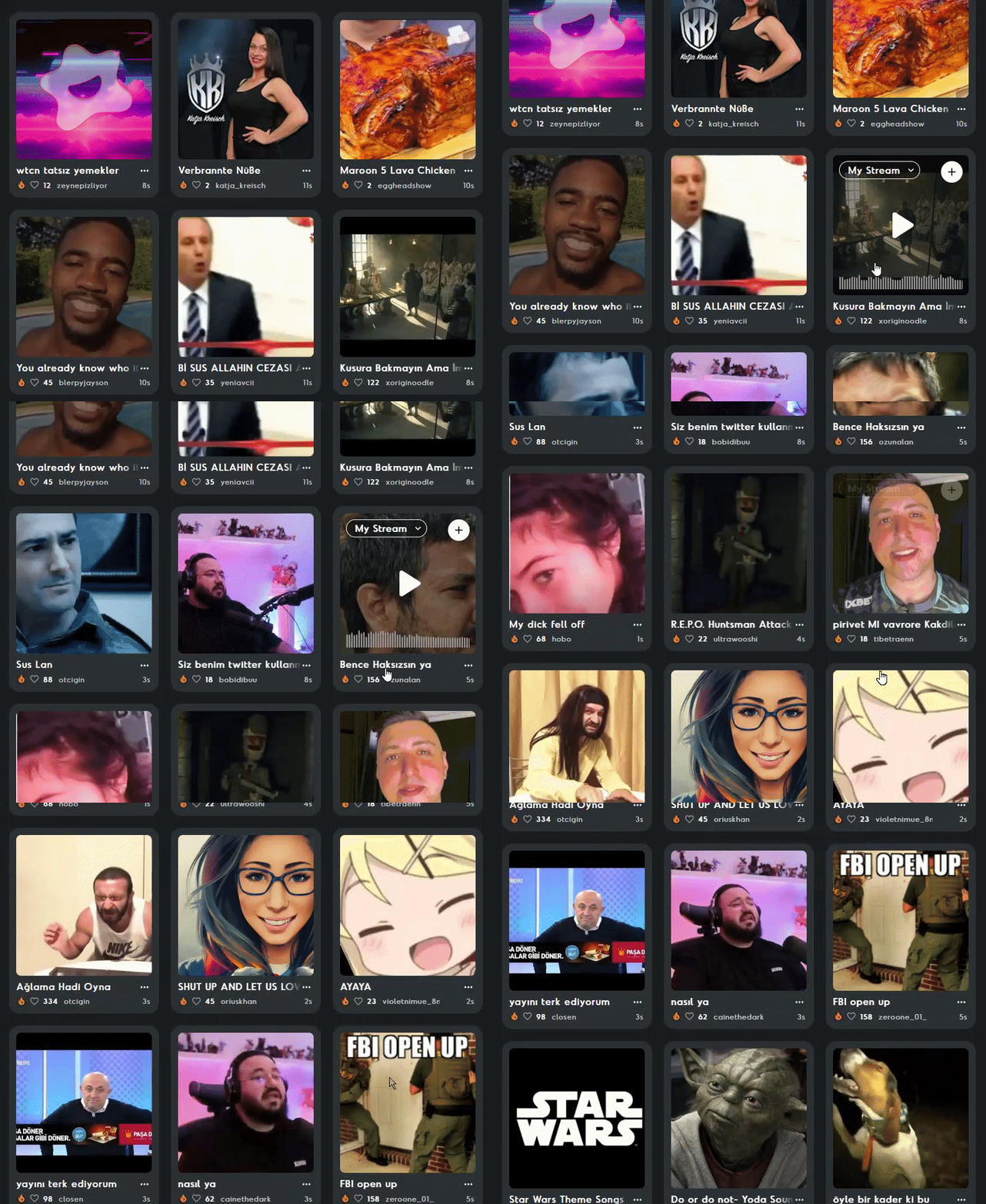
Tips to Maximize Engagement with Blerp’s Soundboard
Blerp’s soundboard for Discord is a powerful tool to make your server more lively and engaging. These tips will help you get the most out of it. Use them to create a fun, interactive community that keeps members coming back.
Host Soundboard Events
Organize events like meme sound battles or soundboard-themed game nights to spark excitement. For example, host a “best meme sound” contest where members compete for bragging rights. These events encourage participation and make voice chats unforgettable.
Promote User-Generated Content
Encourage your server members to upload their own sounds to Blerp’s platform. This creates a collaborative vibe where everyone feels involved. Share a quick guide on using Blerp’s web console to make uploads easy and fun.
Integrate with Server Culture
Choose sounds that match your community’s interests, like anime quotes for an anime server or game effects for a gaming group. Tailoring your soundboard for Discord to your server’s theme strengthens its identity. It also makes every sound feel like an inside joke.
Leverage Discord Marketing Strategies
Use Blerp in AMAs, watch parties, or giveaways to boost server activity. For instance, play a hype sound during a watch party to amp up the energy or offer custom sound uploads as giveaway prizes. These strategies drive engagement and showcase Blerp’s versatility.
Bring Blerp’s Soundboard to Your Discord
Ready to make your Discord server unforgettable? Add Blerp’s soundboard for Discord today and fill your voice chats with epic memes, game sounds, and more. Get started now with a quick setup that takes just a few clicks.
Join the Blerp Discord community for awesome support, exclusive sound packs, and fun events. It’s the perfect place to connect with other soundboard fans and discover new ways to use Blerp.
Share your favorite Blerp moments on social media! Tag Blerp on X or Discord to show off the hilarious sounds that make your server shine. We can’t wait to hear your stories.
Have you already tried Blerp’s soundboard for Discord? Drop us feedback on how it’s leveled up your server’s vibe. Your experience could inspire others to bring the fun to their communities!
Transform Your Discord with Blerp’s Soundboard
Blerp’s soundboard for Discord is the ultimate way to bring fun and energy to your server. Its massive, community-driven library, easy-to-use commands, and free access make it a must-have for any Discord community. From meme soundboards to custom clips, Blerp delivers endless ways to spark laughter and connection.
With just a few clicks, Blerp can turn your Discord server into a lively, engaging hub that members love. Whether it’s dropping a victory anthem or a hilarious quote, this Discord soundbot creates moments that keep your community coming back for more.
Don’t wait to level up your voice chats! Install Blerp’s soundboard for Discord today at blerp.com/discord and start playing sounds that make your server unforgettable. For the best experience, include visuals like screenshots of Blerp in action or a short video demo to show off its magic.


