If you’re watching a Twitch streamer who uses Blerp, you’ve got access to one of the most fun and interactive extensions on the platform. Whether you want to play sound alerts, share media, or gift bits to the community, here’s your guide to getting the most out of Blerp as a viewer.
The Home Tab
When you first open the Blerp extension, you’ll land on the Home tab. This is your go-to hub for exploring:
- Trending sounds across Twitch
- Streamer’s custom library
- AI TTS redemptions (if enabled)
- Media sharing (clips and sound memes, if enabled)
- Community wallet donations
Subscriber discounts (shown at the top if available)
The Library Tab
Hit the side menu > Library tab to access your saved content. This includes:
- Collections you’ve created
- Blerps you’ve favorited across different streams
It’s your personal sound stash, ready to use whenever you need that perfect audio moment.
Walkon Tab
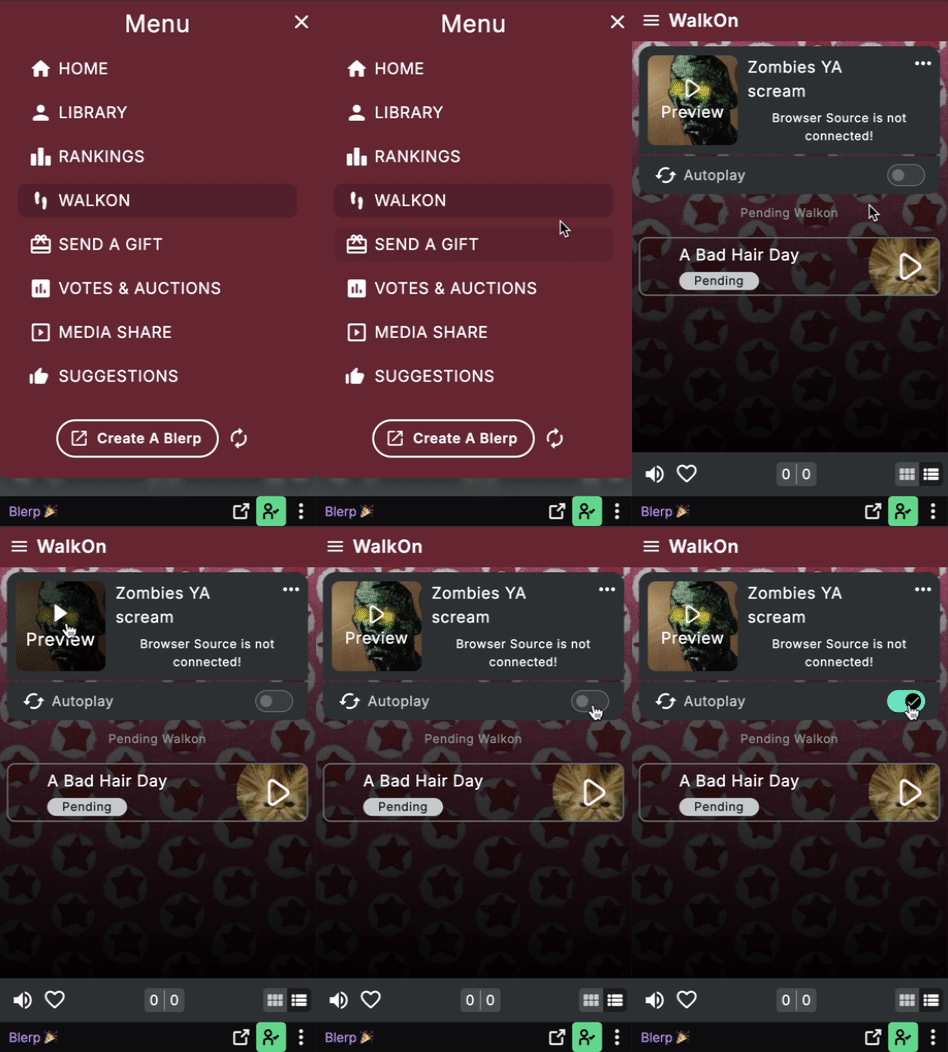
Want a custom sound to play when you enter a stream? Head to the Walkon tab:
- View your walkon sound status (pending or approved)
- Trigger walkons manually
- Turn on autoplay so it plays automatically when you enter the stream
Important: Walkon access depends on the streamer’s settings. If it’s not available, that means the streamer hasn’t enabled walkons for their channel yet or it isn’t available for your subscription tier.
Send a Gift
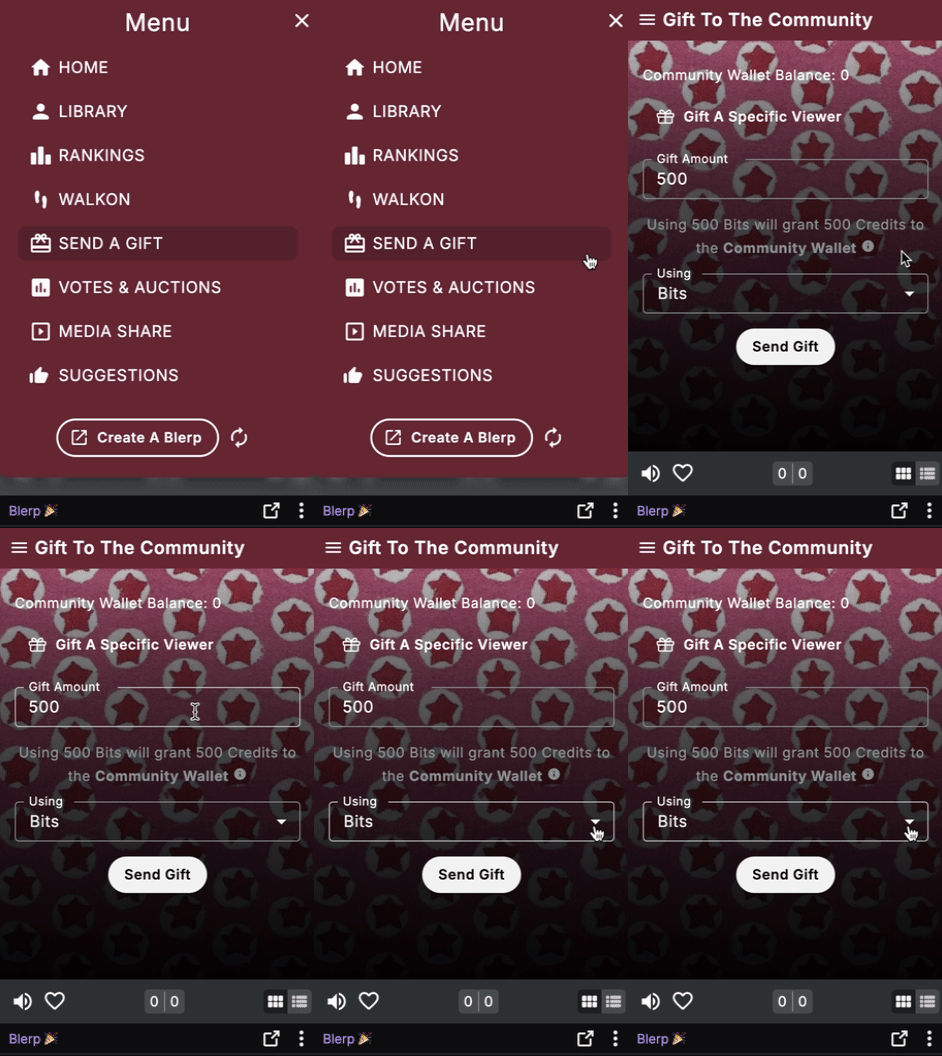
From the Send a Gift tab, you can:
- Gift bits or channel credits to the community
Help other viewers join the fun by covering their sound redemptions. It’s a great way to support the streamer and spread some joy in chat.
Media Share
Use the Media Share tab to submit clips on stream. Whether it's a hilarious moment or something epic, this is your chance to share it with the whole stream.
You can submit media from popular platforms like:
- YouTube
- TikTok
- Twitch clips
- Twitter/X
If the streamer has media sharing enabled, your submitted clip could be played live on stream for everyone to enjoy.
Suggestions Tab
Have a sound idea you’d love to see added? Head to the Suggestions tab to:
- View suggestions you've submitted
- See which ones were approved, pending, or rejected
Streamers love community input, and this is how you get your ideas on their radar.
Blerp isn’t just a soundboard, it’s a fun tool that lets you engage with your favorite streams in creative and hilarious ways.
So next time you see the Blerp icon pop up, click it. There’s a whole world of interaction waiting for you.