Ultimate Guide to Crafting Irresistible Twitch Channel Point Redemptions with Blerp
In the fast-paced world of live streaming, keeping your audience engaged is the key to building a loyal community. One of the most effective ways to do this is through engaging channel point redemptions, a feature that lets viewers interact with your stream in fun and memorable ways. With Blerp, streamers can take channel point redemptions to the next level by integrating interactive sound emotes that resonate with their brand and audience. In this guide, we’ll explore how Blerp’s Universal Extension transforms viewer engagement, share creative redemption ideas, and provide a step-by-step setup process to make your streams unforgettable.
What Are Channel Point Redemptions?
Channel points are a reward system on platforms like Twitch, Kick, and YouTube that incentivize viewers to watch and interact with your stream. Viewers earn points over time and can redeem them for rewards you set, such as triggering special actions or unlocking exclusive perks. Engaging channel point redemptions turn passive viewers into active participants, fostering a sense of community and boosting retention.
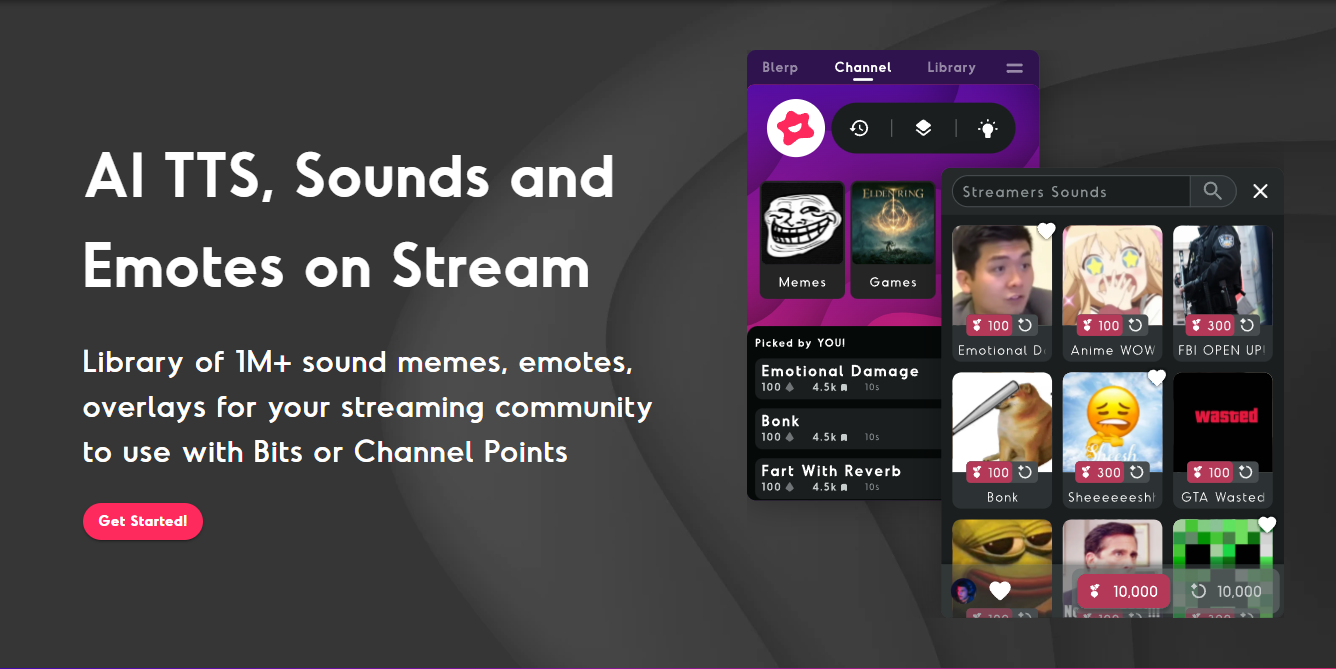
Blerp’s Universal Extension enhances this system by allowing viewers to redeem points for custom sound emotes—think funny catchphrases, memes, or personalized audio clips—that play live on your stream. This interactivity not only entertains but also strengthens the connection between you and your audience.
Why Choose Blerp for Channel Point Redemptions?
Blerp stands out as the ultimate tool for streamers looking to create engaging channel point redemptions. Here’s why:
- Cross-Platform Support: Blerp works seamlessly on Twitch, Kick, YouTube, and more, making it versatile for multi-platform streamers.
- Customizable Sound Emotes: Choose from a vast library of sounds or upload your own to align with your brand.
- Revenue Boost: With Blerp, streamers earn 33% more revenue from Beets (Blerp’s currency) compared to Twitch extensions, as there are no fee deductions.
- Easy Setup: Blerp’s user-friendly interface lets you set up redemptions in minutes, with no technical expertise required.
- Viewer Engagement: Sound redemptions create real-time interaction, encouraging viewers to stay longer and return for more.
By integrating Blerp, you can transform your channel points into a dynamic, interactive experience that keeps your audience coming back.
50+ Creative Channel Point Redemption Ideas with Blerp
To inspire you, here are over 50 engaging channel point redemption ideas that leverage Blerp’s sound emotes to elevate your stream:
Fun and Silly Redemptions
- Meme Soundboard: Redeem points to play viral meme sounds like “Airhorn” or “Distracted Boyfriend.”
- Catchphrase Chaos: Trigger your streamer’s signature catchphrase in a dramatic voice.
- Animal Noises: Play random animal sounds, from barking dogs to roaring lions.
- Cartoon Quotes: Redeem for classic cartoon lines like “What’s up, Doc?”
- Sound Effects Galore: Trigger explosion, applause, or sci-fi laser sounds.
Community-Driven Redemptions
- Viewer Shoutout: Play a pre-recorded shoutout for a viewer’s username.
- Poll Sound: Use sounds to vote in polls (e.g., “Cheer” for yes, “Boo” for no).
- Community Meme: Let viewers redeem a sound they created for the stream.
- Hype Train Starter: Kick off a hype train with an epic sound effect.
- Birthday Blast: Play a festive “Happy Birthday” jingle for community members.
Game-Specific Redemptions
- Victory Sound: Celebrate in-game wins with a triumphant fanfare.
- Fail Moment: Play a comedic “Sad Trombone” for in-game fails.
- Boss Battle Hype: Trigger an intense soundtrack for boss fights.
- Stealth Mode: Redeem a sneaky “Mission Impossible” theme during stealth games.
- Level-Up Jingle: Play a retro game level-up sound for milestones.
Themed Redemptions
- Holiday Cheers: Seasonal sounds like jingle bells or spooky laughs.
- Movie Quotes: Iconic lines like “May the Force be with you.”
- Anime Attack: Play dramatic anime battle cries.
- Retro Vibes: Redeem 8-bit game sounds for a nostalgic feel.
- Sci-Fi Adventure: Trigger Star Trek or Star Wars sound effects.
High-Tier Redemptions
- Custom Sound Creation: Let a viewer work with you to create a unique Blerp sound.
- Stream Takeover: Play a viewer’s chosen sound for a full minute.
- VIP Sound Slot: Feature a viewer’s sound as a permanent redemption option.
- Epic Montage: Trigger a montage of your stream’s best sound emotes.
- Streamer Imitation: Play a sound of you mimicking a famous character.
Interactive Challenges
- Sound Duel: Viewers redeem sounds to “battle” each other in a sound-off.
- Randomizer: Play a random Blerp from your library for surprise chaos.
- Speedrun Sound: Trigger motivational sounds during speedrun attempts.
- Q&A Sound: Redeem to ask a question with a fun sound intro.
- Dance Party: Play a dance track to make the streamer groove.
More Ideas to Mix and Match
- Inspirational quotes
- TV show theme songs
- Sports crowd cheers
- Weather sounds (rain, thunder)
- Historical speeches
- Video game easter eggs
- Superhero themes
- Food-related sounds (crunch, slurp)
- Transportation noises (car horn, train whistle)
- ASMR whispers
- Pirate phrases
- Robot voices
- Magic spell effects
- Karaoke snippets
- Celebrity impersonations
- Nature sounds
- Horror screams
- Motivational coach yells
- Time travel whooshes
- Random compliments
- Countdown timers
These ideas can be tailored to your stream’s vibe, ensuring your engaging channel point redemptions resonate with your audience. With Blerp, you can easily manage up to 50 rewards, keeping your redemption menu fresh and exciting.
How to Set Up Channel Point Redemptions with Blerp
Setting up engaging channel point redemptions with Blerp is straightforward. Follow these steps to get started:
- Create a Blerp Account: Sign up at blerp.com and link your streaming platform (Twitch, Kick, or YouTube).
- Install the Blerp Extension: Download the Blerp Universal Extension for your browser and add it to your streaming software (e.g., OBS) as a browser source.
- Navigate to Channel Points: From the Blerp dashboard, go to the “Channel Points” tab in the side menu.
- Add Rewards: Click “New Reward” and browse Blerp’s sound library. Select a sound, set a point price, and customize the title, image, or description.
- Manage Settings: Toggle “Auto Fulfilled by Blerp” on for automatic redemptions or off for manual control. Set a default point price and monitor your reward limit (Twitch caps at 50).
- Promote to Viewers: Encourage your audience to earn points (e.g., 300 points per hour with Blerp) and redeem sounds during your stream.
- Test and Tweak: Go live, test your redemptions, and adjust sounds or prices based on viewer feedback.
For detailed instructions, check out Blerp’s setup guide. If you run into issues, join the Blerp Discord for support.
Tips for Maximizing Engagement with Blerp Redemptions
To make your engaging channel point redemptions a hit, consider these pro tips:
- Curate Relevant Sounds: Choose sounds that match your stream’s theme or audience preferences. For example, gaming streams might use retro game sounds, while variety streams could lean into memes.
- Incentivize Participation: Offer high-tier rewards for loyal viewers, like custom sound creation, to keep them engaged.
- Interact with Redemptions: Acknowledge when viewers redeem sounds—laugh, react, or incorporate them into your content to boost interactivity.
- Refresh Regularly: Update your redemption menu to keep it exciting and avoid “out of stock” issues.
- Promote on Social Media: Share clips of funny Blerp redemptions on Twitter or TikTok to attract new viewers and improve SEO through backlinks.
Troubleshooting Common Blerp Issues
Encountering problems? Here are quick fixes for common issues:
- No Sound/Alerts: Ensure the Blerp browser source is added to your streaming software (OBS, Streamlabs). Check audio monitoring settings.
- Rewards Out of Stock: Adjust per-stream or per-user limits in the Blerp dashboard.
- Duplicate Title Error: Modify reward titles to avoid conflicts with existing redemptions.
- Manual Refunds: Disable “Auto Fulfilled” in Blerp settings to manually accept or refund redemptions.
For more help, refer to Blerp’s FAQ or contact their support team.
Why Engaging Redemptions Matter for Streamers
Engaging channel point redemptions do more than entertain—they build a thriving community. By using Blerp’s sound emotes, you create moments that viewers want to be part of, increasing watch time, subscriptions, and loyalty. Plus, Blerp’s monetization benefits let you earn more from viewer interactions, making it a win-win for streamers and audiences alike.
Get Started with Blerp Today
Ready to revolutionize your streams with engaging channel point redemptions? Blerp’s Universal Extension is your ticket to creating interactive, memorable experiences that keep viewers hooked. Sign up at blerp.com, set up your sound redemptions, and watch your community come alive with laughter and excitement.
Don’t miss out—try Blerp now and take your streaming game to new heights!
Here Are Some Useful Links
🔗 Blerp Links
🎮 Twitch Official Hype Train Resources
📢 Streamer Growth & Engagement
📱 Social Media Promotion Tips
🛠 Recommended Twitch Extensions & Tools