How to Customize Blerp Chat Messages
Customizing your Blerp chat messages can add a personal touch to your streams, making them more engaging and interactive for your viewers. This guide will walk you through the steps to tailor your Blerp chat notifications to better fit your streaming style.
As a streamer, keeping your audience engaged and entertained is key to building a loyal community. Blerp, the sound meme extension for Twitch, allows you to add fun sound bytes to your stream that viewers can redeem using Bits, Beets, Channel Points, or WalkOn. One way to enhance the viewer experience even further is by customizing the chat messages that accompany these sound bites.
Here’s how you can do it:
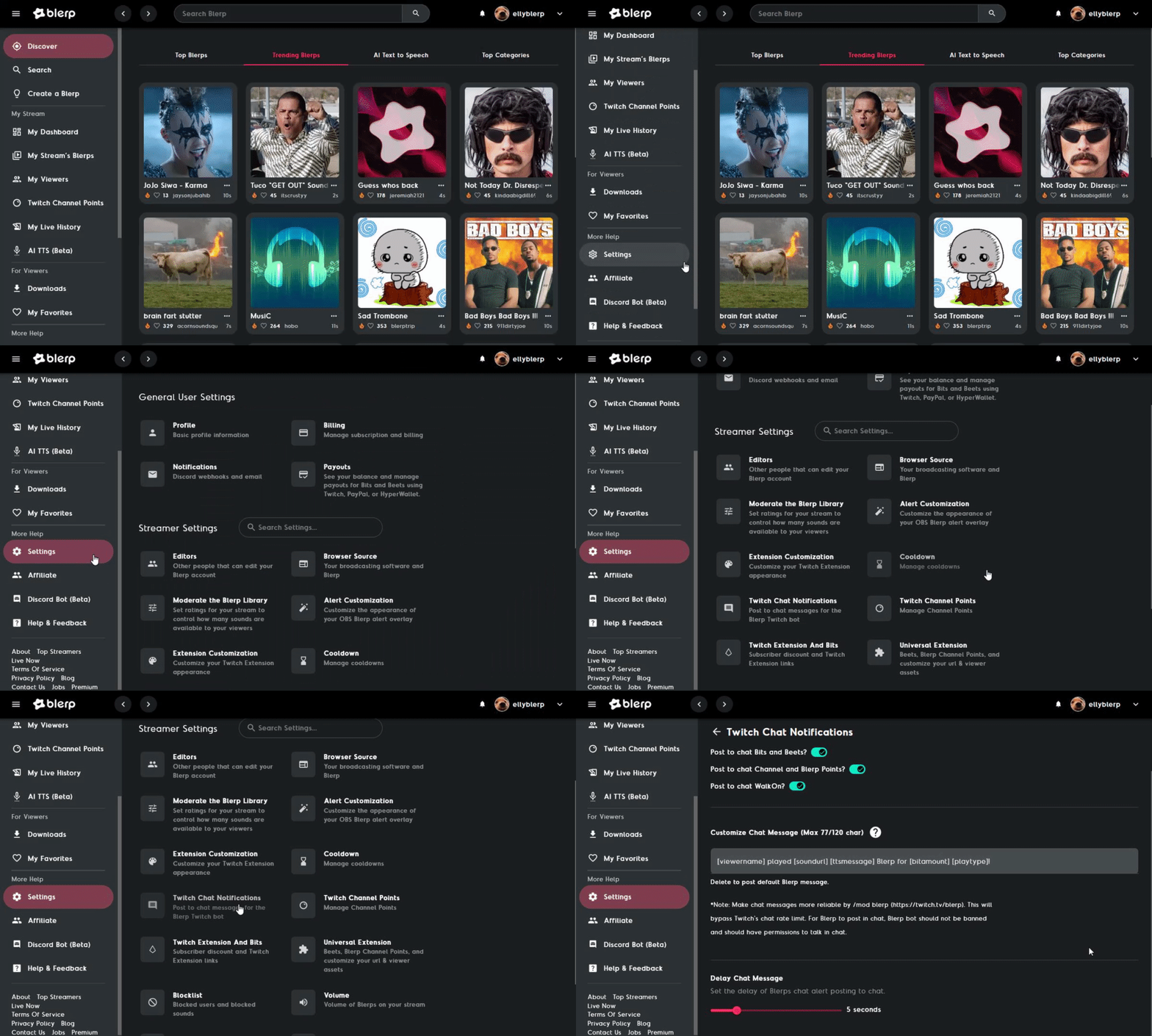
Head to Blerp.com
Open your web browser and go to blerp.com.
Navigate to Settings
Select Settings from the side menu.
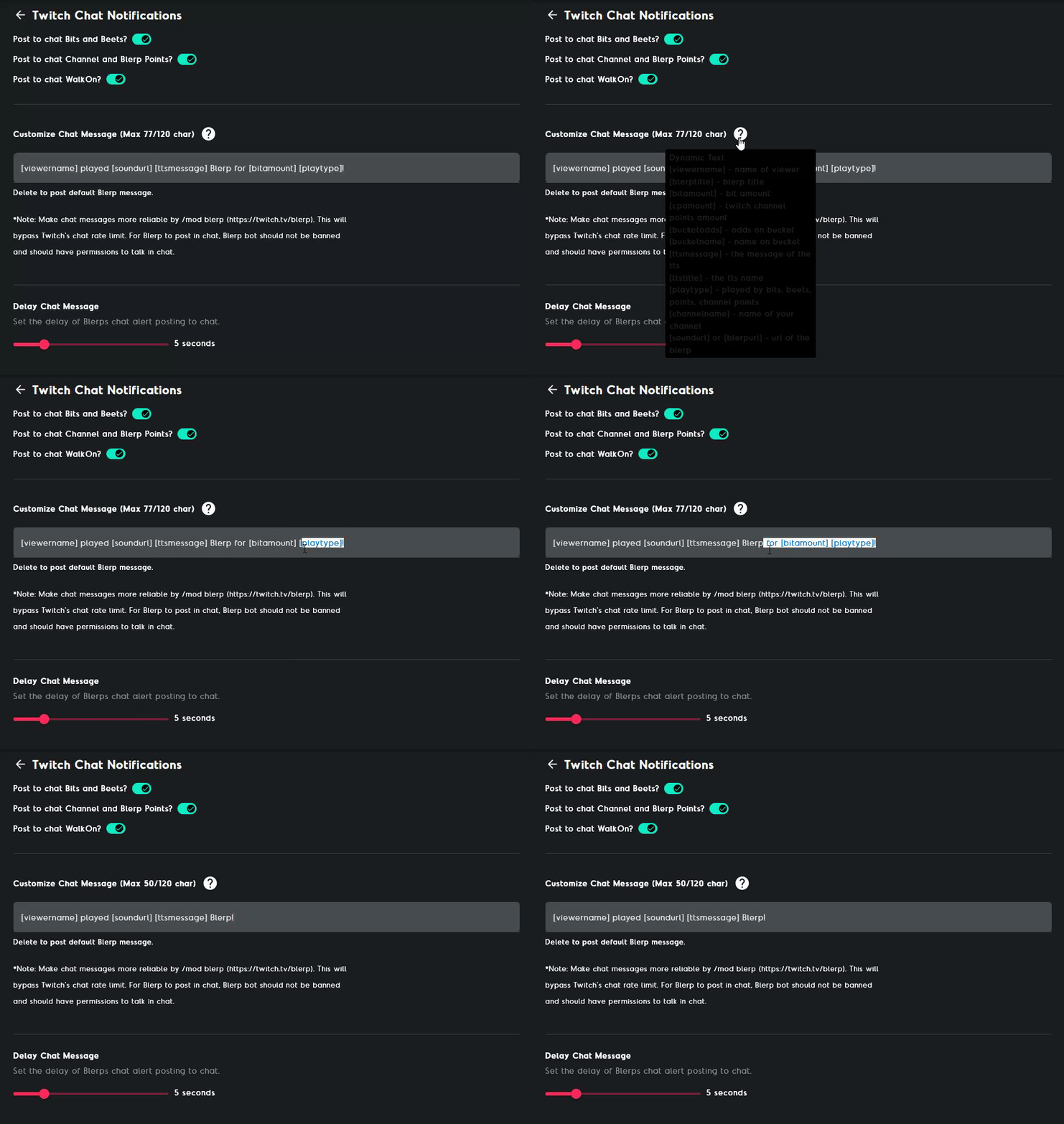
Select Twitch Chat Notifications
In the settings menu, look for and select "Twitch Chat Notifications."