Blerp 2.0 is here. Redesigned, reimagined, and packed with powerful new features to make your stream more interactive and fun than ever.
Whether you’re a longtime Blerp user or just getting started, this guide covers everything new in 2.0. How to upgrade, what’s changed, and why this version is built to take your content to the next level.
How to Upgrade to Blerp 2.0
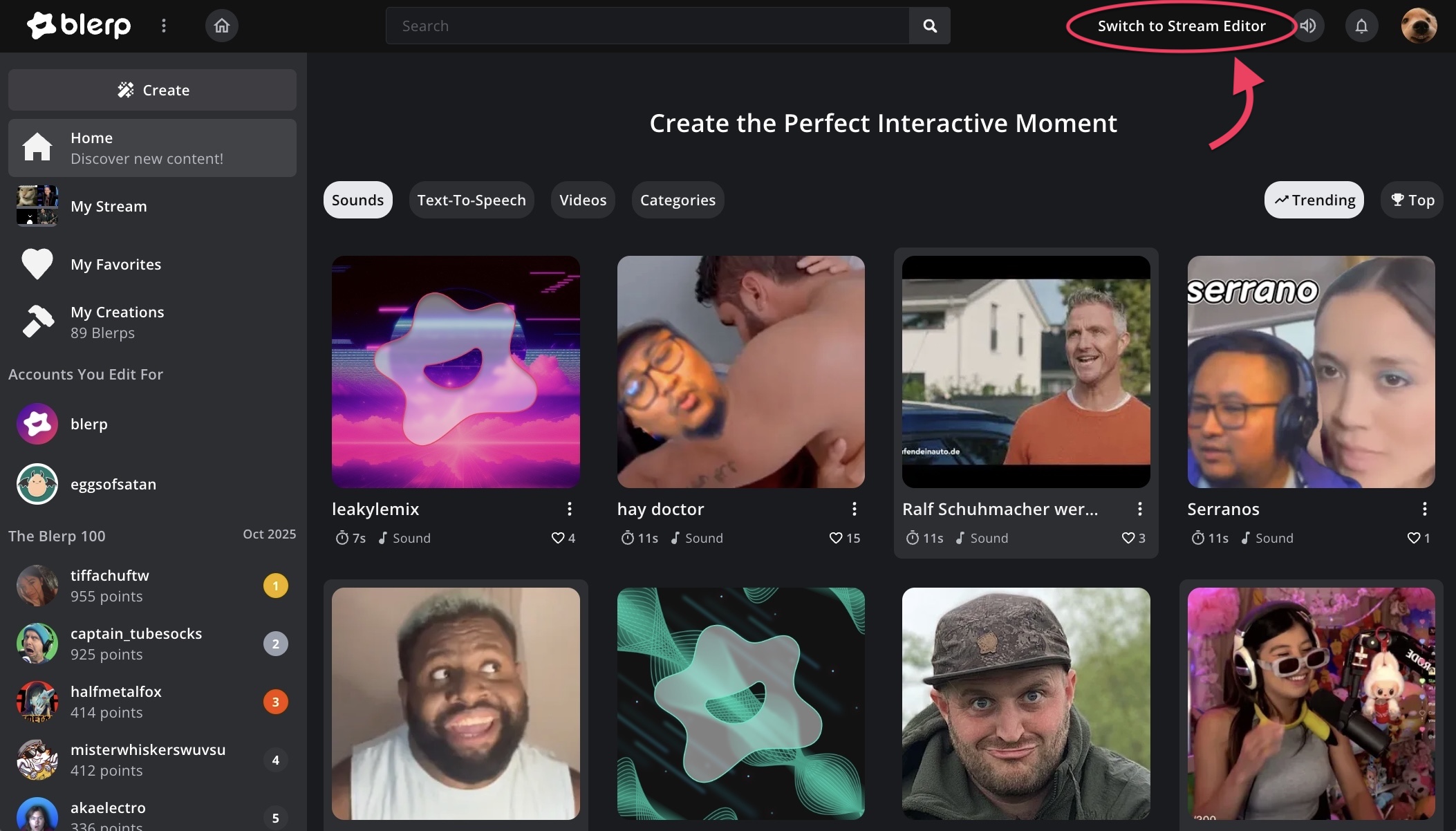
To switch to Blerp 2.0, head to blerp.com and click “Switch to Stream Editor” in the top-right corner.
When prompted, accept the update to 2.0, that’s it! You’ll be upgraded and ready to explore the new experience.
A Cleaner, Centralized Dashboard
The new Blerp 2.0 dashboard is built for speed, simplicity, and full control. Everything now lives under your Stream Editor, giving you instant access to:
- Dashboard
- Extension
- Alerts
- Events
- Viewer Permissions
- Settings
No more bouncing between menus or searching for settings. Everything you need is organized in one sleek, intuitive space designed for creators who move fast.
Subathon Timers and Goals
Blerp 2.0 brings Subathon Timers and Goals directly into your dashboard, making marathon streams easier to plan, track, and hype up.
You can:
- Set custom timers that extend based on viewer redemptions, subs, or donations
- Display your timer visually on stream so viewers see how their support keeps the event going
- Add goals that automatically update when progress is made
Whether you’re running a classic subathon, donation drive, or community challenge, these tools help you build excitement, sustain engagement, and celebrate every contribution along the way.
New Features to Power Engagement
Blerp 2.0 isn’t just a visual refresh, it’s built to drive energy and excitement in your community.
Here’s what’s new:
Each feature is designed to fuel engagement and make every moment of your stream more memorable.
The New Supporter System
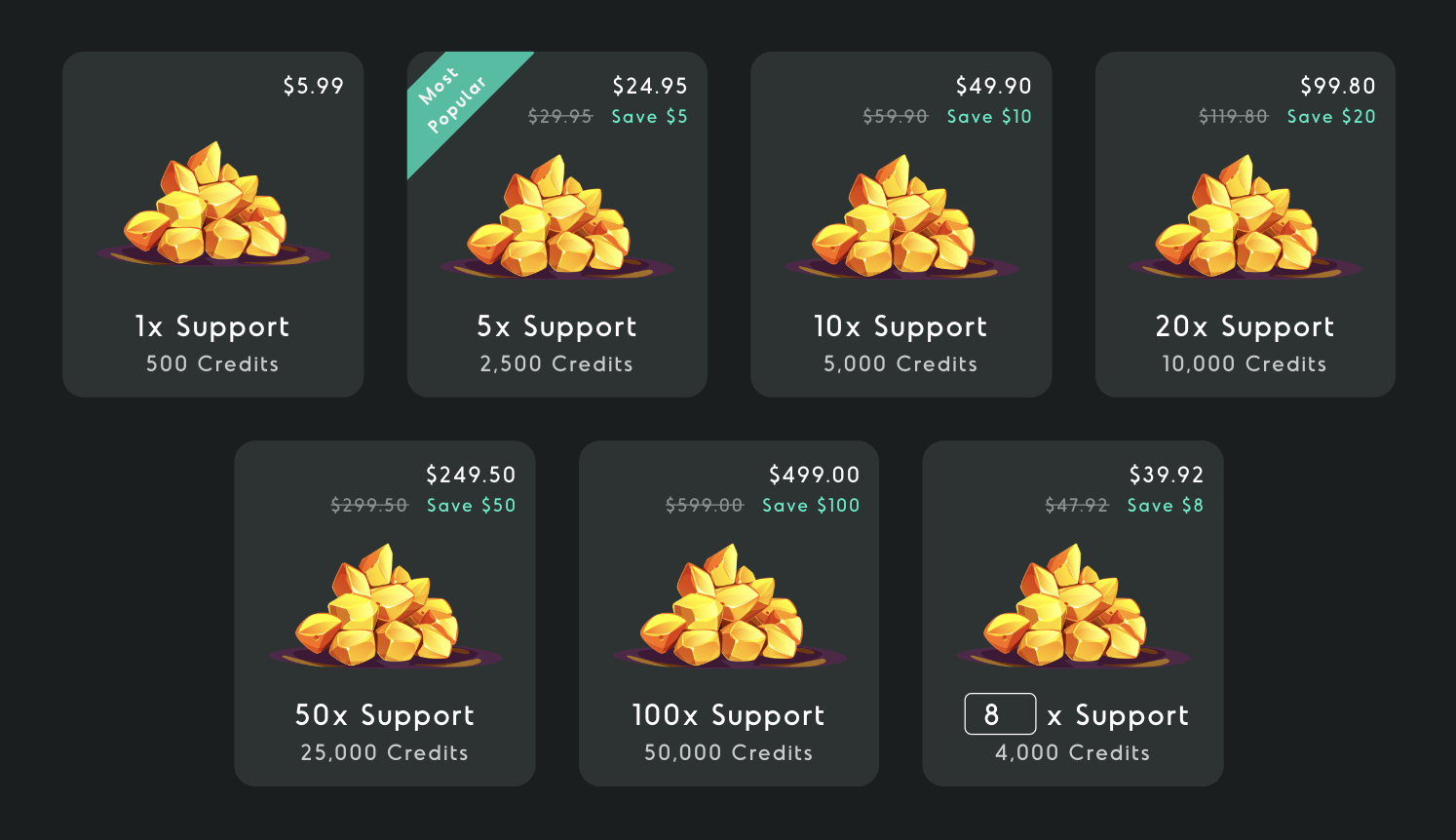
One of the biggest upgrades in 2.0 is the Supporter System, a new way for your viewers to directly support your stream.
Your audience can now purchase Blerp Credits to redeem sounds, TTS messages, video alerts, and more, across any platform.
Why creators love it:
- You keep up to 90% of supporter revenue
- You can cash out on earnings right away
- Works across Kick, YouTube, Twitch, and more
Think of it like Bits but universal, flexible, and way more fun.
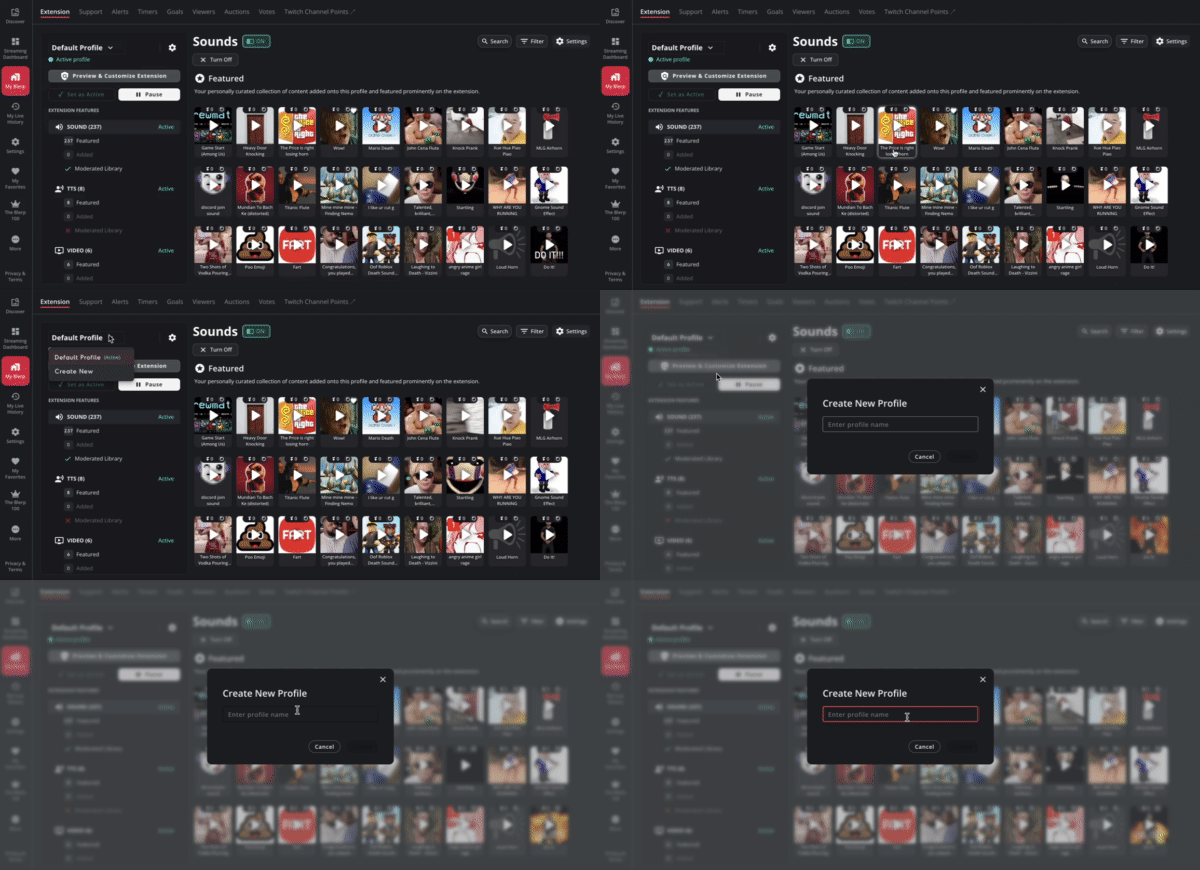
Extension Profiles
Customization just got an upgrade. Profiles let you tailor your Blerp setup for different types of streams or moods.
Each profile can have:
- Unique sound selections
- Individual feature settings
You can switch between profiles instantly, making it easy to adapt your setup to fit your content or theme.
Ready to Level Up?
You can switch to Blerp 2.0 right now from your dashboard. Just note that once you upgrade, there’s no going back to the previous version.
With a cleaner layout, stronger monetization tools, and next-level ways to engage your viewers, Blerp 2.0 isn’t just an update, it’s a whole new streaming experience.