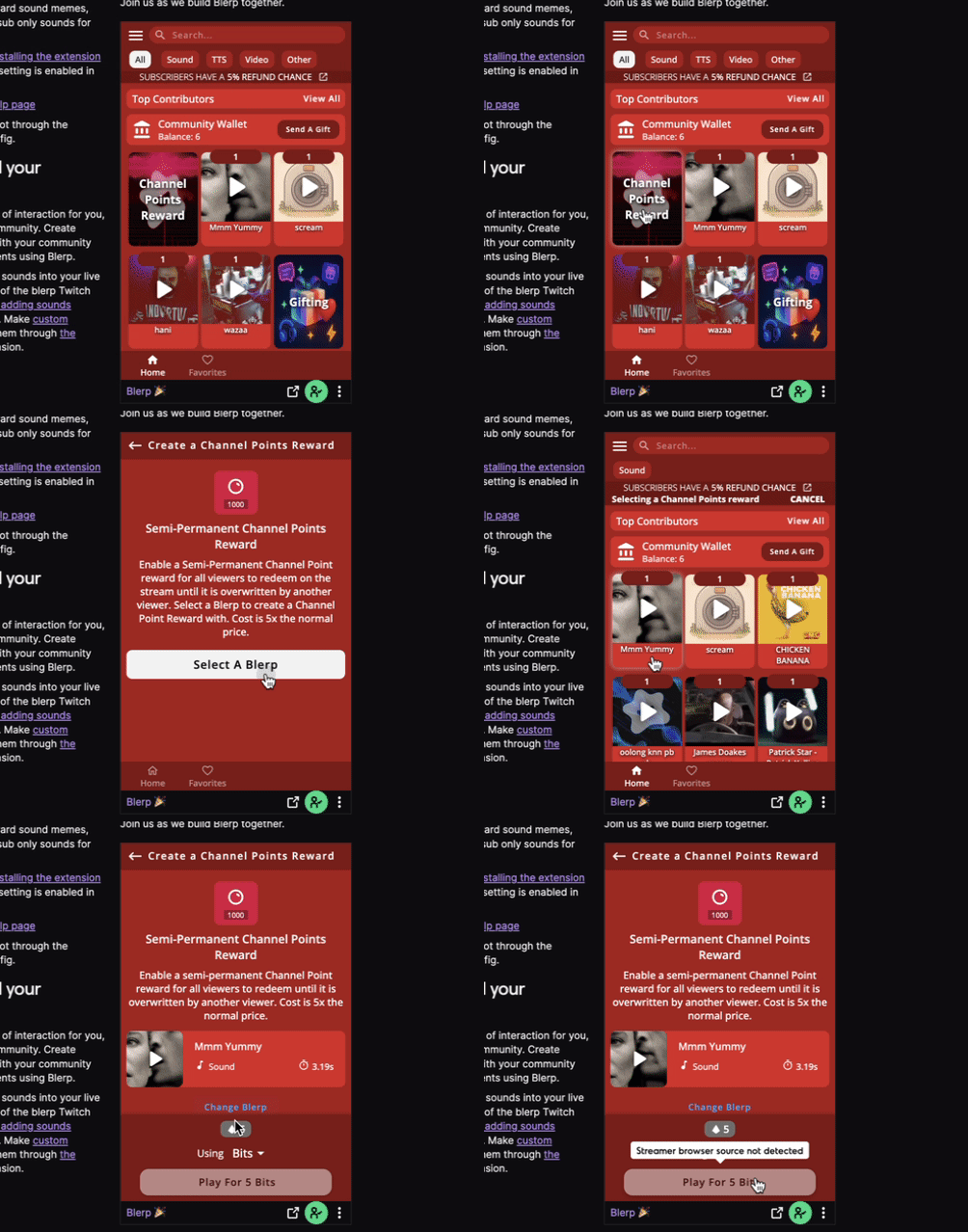
Blerp’s Viewer-Created Channel Point Rewards feature gives your community more power and creativity during your streams. Viewers can now pay to create their own custom channel point rewards directly from sounds on your extension. Giving them a fun and interactive way to participate in your content.
Here’s how to get started
Step 1: Head to Blerp
Go to blerp.com and log in to your account.
Once you’re in, click “Switch to Stream Editor” in the top right corner.
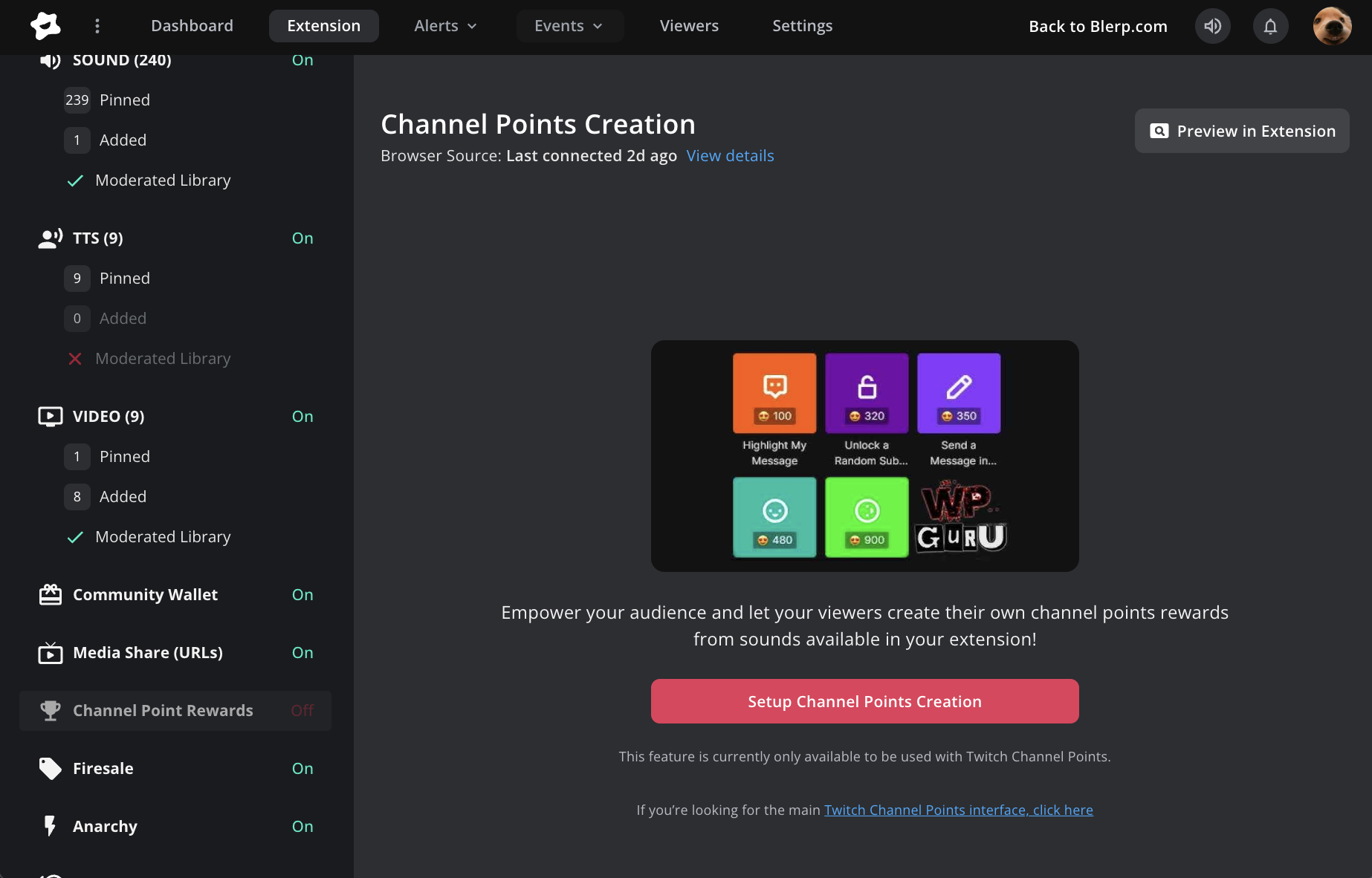
Step 2: Find Channel Point Rewards
In the top navigation menu, make sure you’re under the “Extension” section.
Scroll down and select “Channel Point Rewards.”
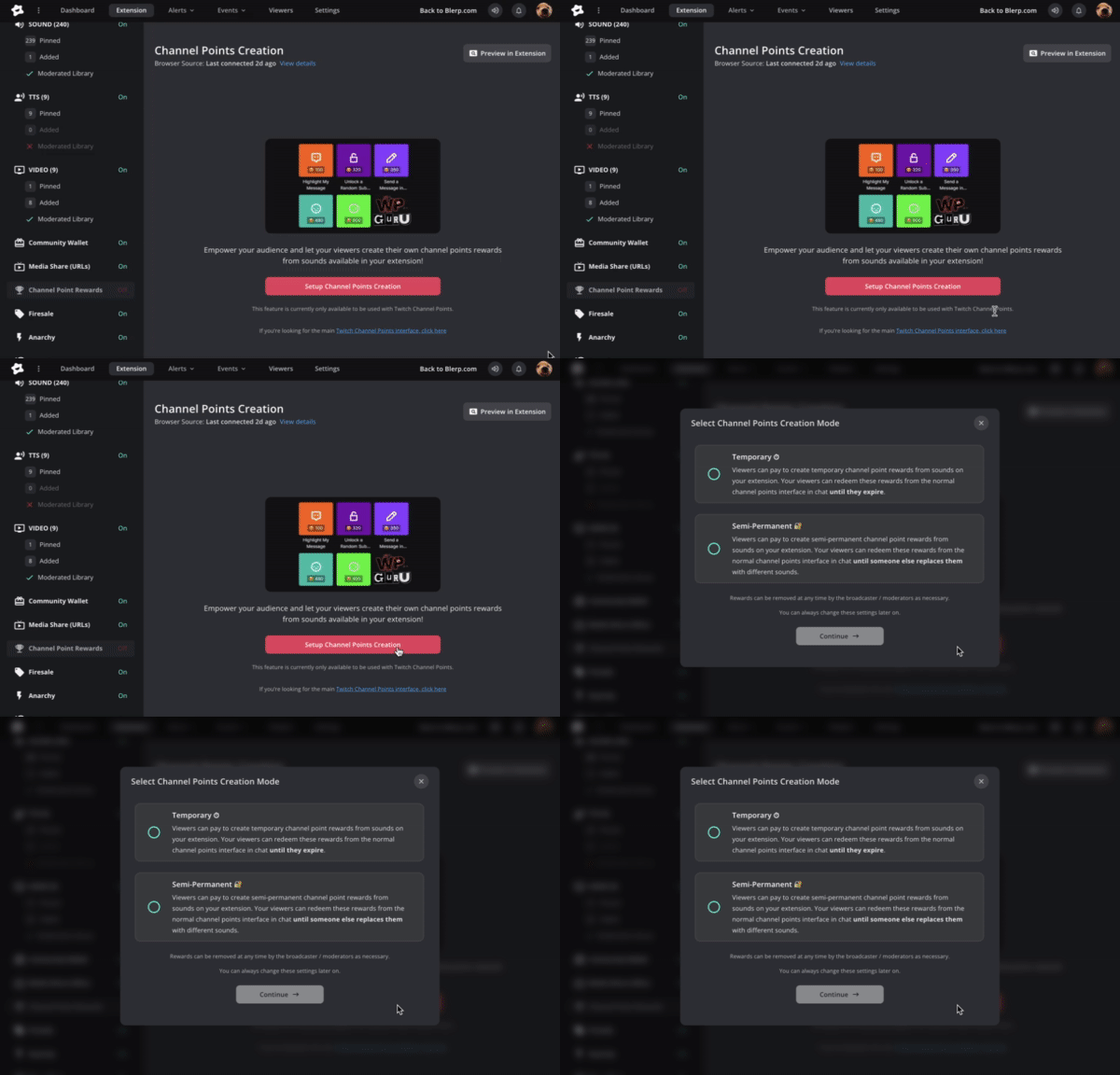
Then, click “Set Up Channel Points Creation.”
Step 3: Choose Reward Type
You’ll have two options: Temporary or Semi-Permanent rewards.
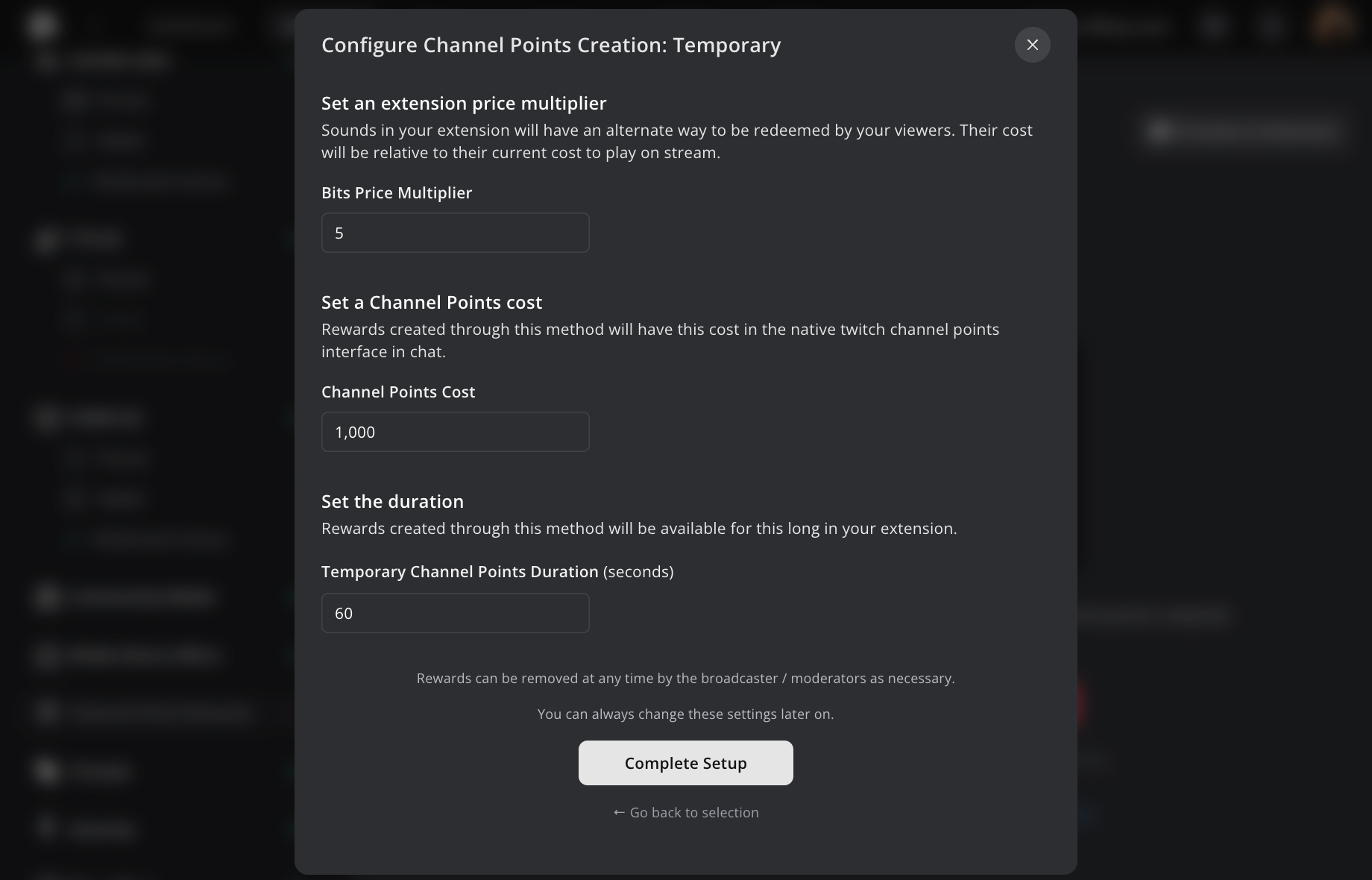
Temporary Rewards
Viewers can pay to create temporary channel point rewards from sounds on your extension.
These rewards appear in your regular Twitch channel points menu and remain active until they expire.
You can customize:
- The price to create the reward
- The channel point cost
- How long the reward stays available
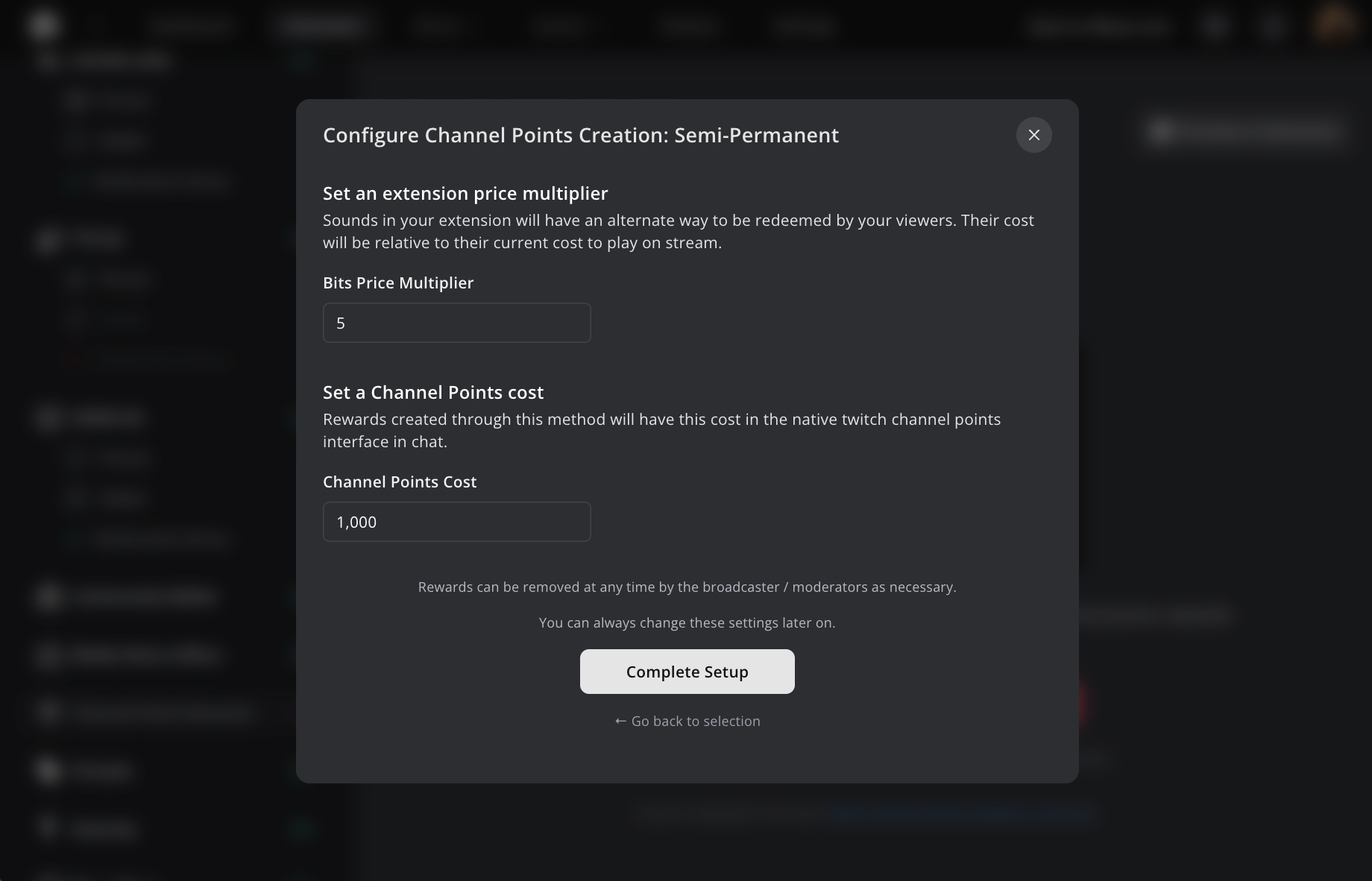
Semi-Permanent Rewards
Viewers can pay to create semi-permanent channel point rewards that stick around until another viewer replaces them with a different sound.
You can set:
- The price to create the reward
- The channel point cost
Step 4: Go Live and Let Viewers Play!
Once your settings are saved, your viewers can start creating and redeeming their own custom channel point rewards, right from your Blerp extension. It’s a great way to boost engagement and let your community shape the sounds that happen on stream.
How Viewers Can Create a Channel Point Reward
Once you’ve enabled Viewer-Created Channel Point Rewards on your Blerp extension, your viewers can easily start making their own!
From the Twitch extension, viewers just need to click “Channel Points Reward” and then select “Select a Blerp.”
They can browse or search for the perfect sound they want to turn into a channel point reward. Once they’ve found it, they simply create the reward using Bits, and it’ll automatically appear in your Twitch channel points menu for everyone in chat to redeem!
Ready to try it out?
Head to blerp.com and set up Viewer-Created Channel Point Rewards today. Your chat’s creativity will surprise you!
 Ellyblerp