Want to give your viewers a voice in your stream? Blerp Votes lets your audience cast votes using Bits or Beets, directly influencing what happens next. Whether you’re letting them pick a game, choose your next move, or decide your on-stream costume, Votes bring interactive decision-making to your content.
Here’s how to get started:
Why Use Blerp Votes?
Votes give your community real power over your stream. Some ideas:
- Which game should I play next?
- What challenge should I take on?
- Which costume or skin should I wear?
- Choose my next in-game path or action
By making your stream more participatory, you keep viewers invested and excited to be a part of the outcome.
How to Set Up Blerp Votes
Follow these steps to create and run your first vote:
Open Your Stream Editor
Make sure you’re in Stream Editor mode within Blerp. (Often accessed via “Experiences” or “Discover” → switch to editor.)
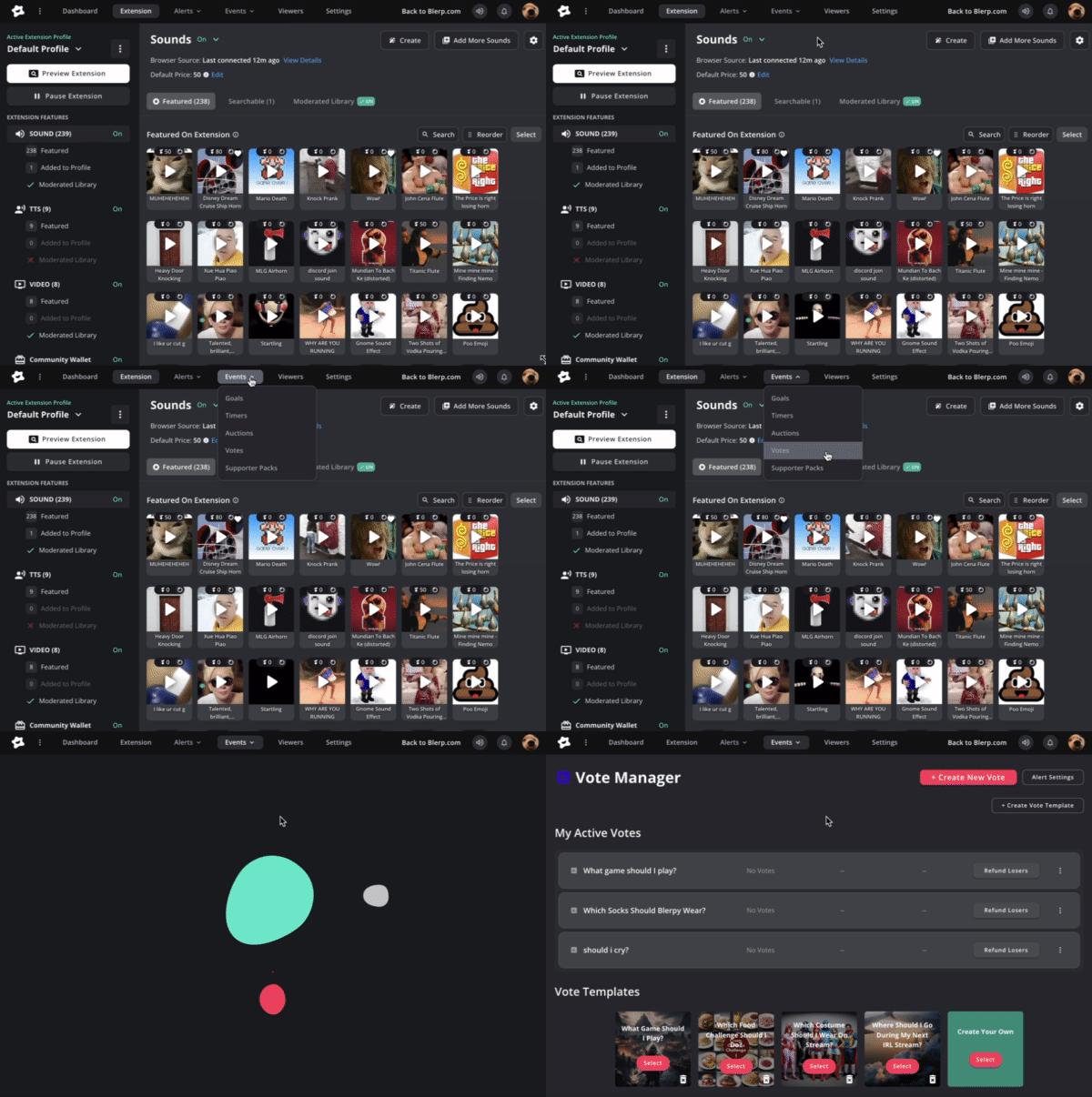
Navigate to the Votes Tab
From the top menu, click Events, then choose Votes from the dropdown.
Connect the Browser Source
Be sure to add the Auctions & Votes browser source (or “Experience” source) to your streaming software (OBS, Streamlabs, etc.). This ensures the voting overlay shows up live on your stream.
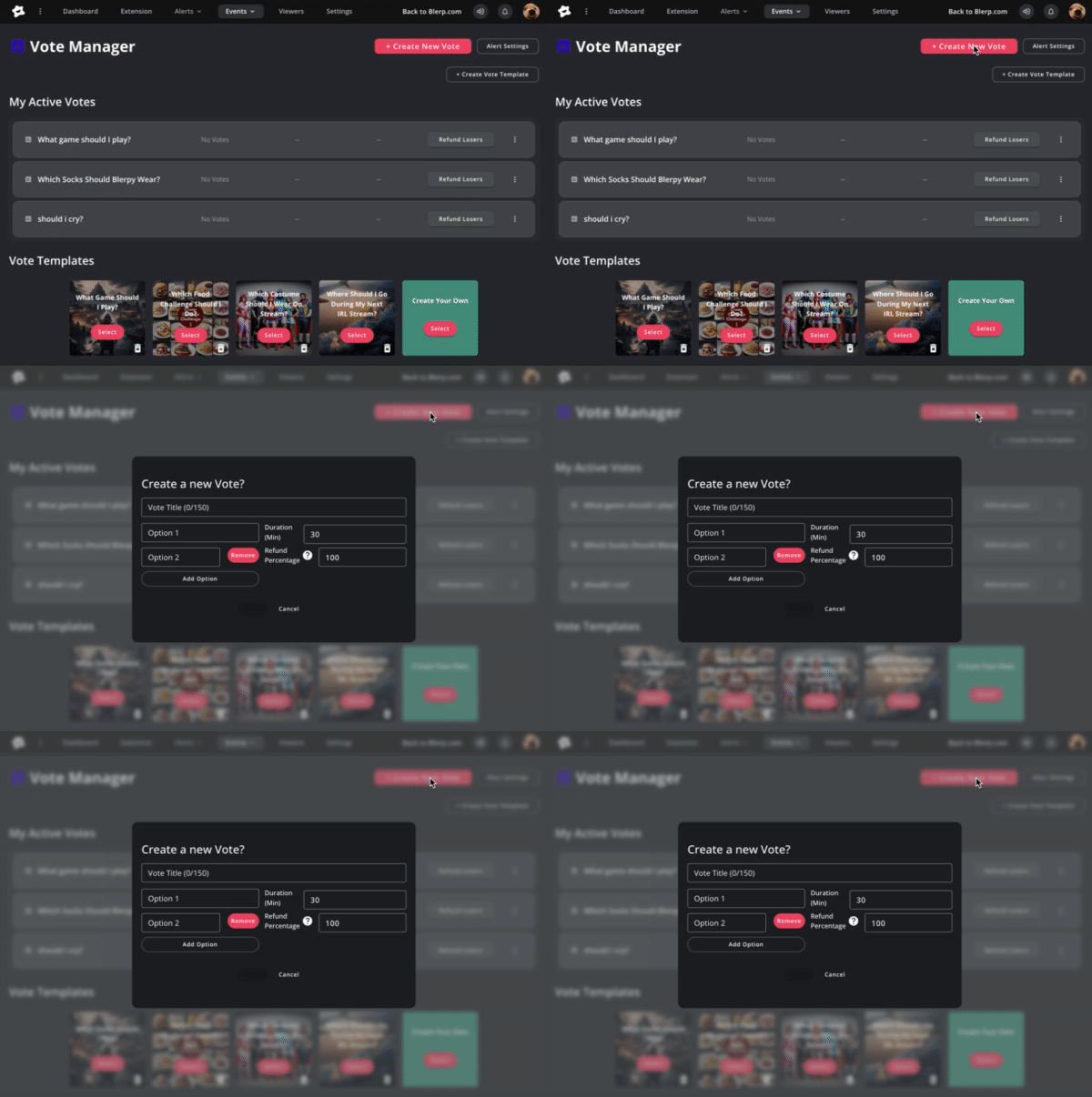
Create a New Vote
Click Create New Vote and fill in the required settings:
- Vote Title: What decision are you asking (e.g. “Which game next?”)
- Options: Add multiple choices viewers can pick from
- Duration: How long the vote stays open
- Refund Percentage: What portion of losing votes will be refunded as credits
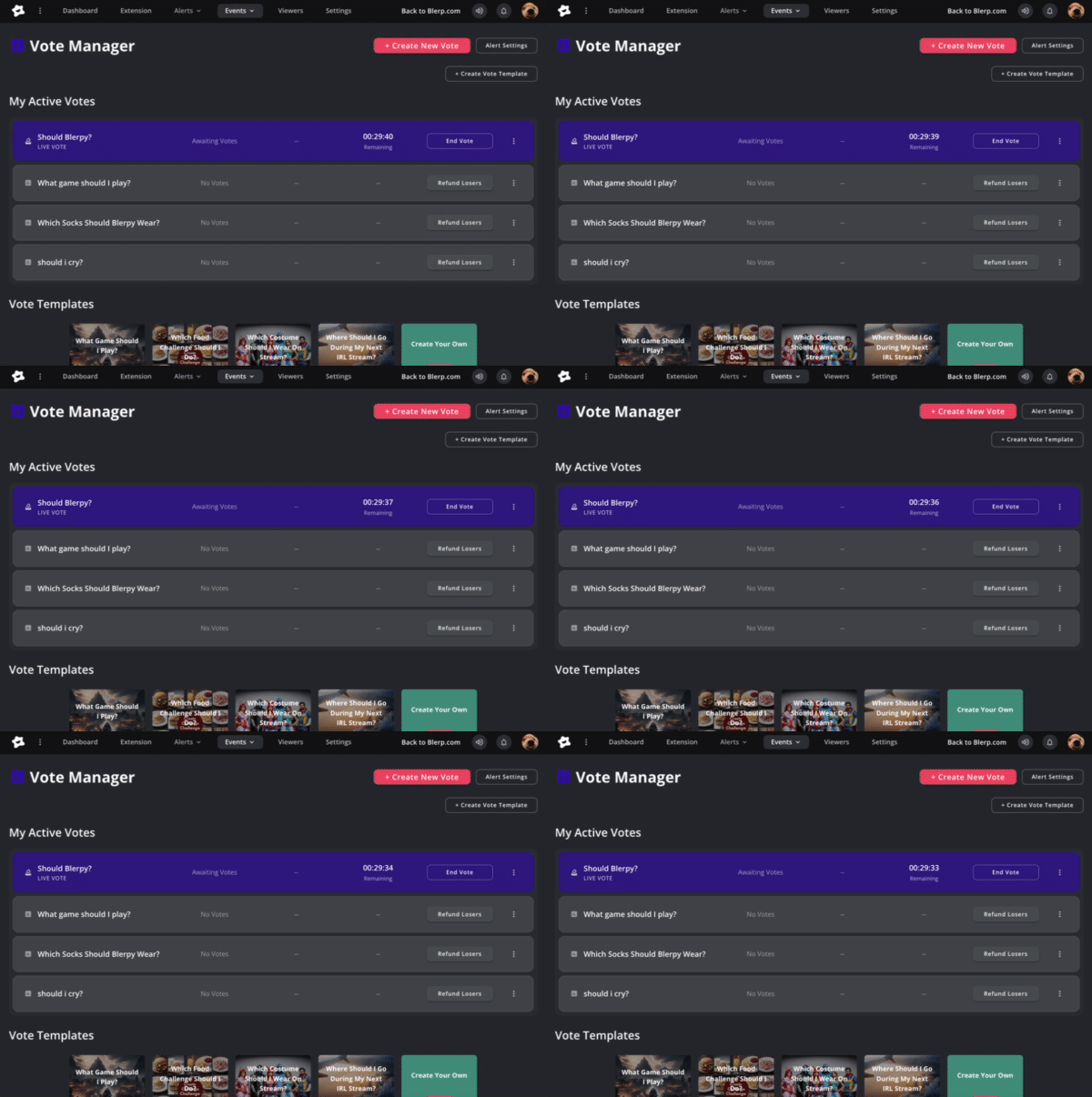
Launch and Monitor
Once you hit Start, the vote goes live. Viewers can begin voting immediately. You’ll see active votes under My Active Votes, and once closed you can manage results, end early if needed, or refund losing votes.
Tips for Running Great Votes
- Keep it simple: 2–4 clear options tend to work best
- Offer meaningful stakes: Let viewers feel their vote matters
- Announce it clearly on stream: Let people know when voting is open
- Time it right: Use votes during lulls or pauses to keep engagement
- Be transparent: Display results or narrate what’s happening
- Refund strategy: Use a balanced refund rate, so losing voters still feel encouraged
With Blerp Votes, you're turning your audience from spectators to decision-makers.
 Ellyblerp