If you want to boost viewer engagement and make your stream more interactive, Blerp Auctions are a fun way to do it. Auctions let your audience bid with Bits or Beets, competing for rewards or unique experiences on your stream. The highest bidder wins, while losing bidders can get credited for use on other Blerp features.
Here’s a step-by-step guide to setting up Blerp Auctions for your Twitch channel.
How to Set Up Blerp Auctions
Follow these steps to create and run your first auction:
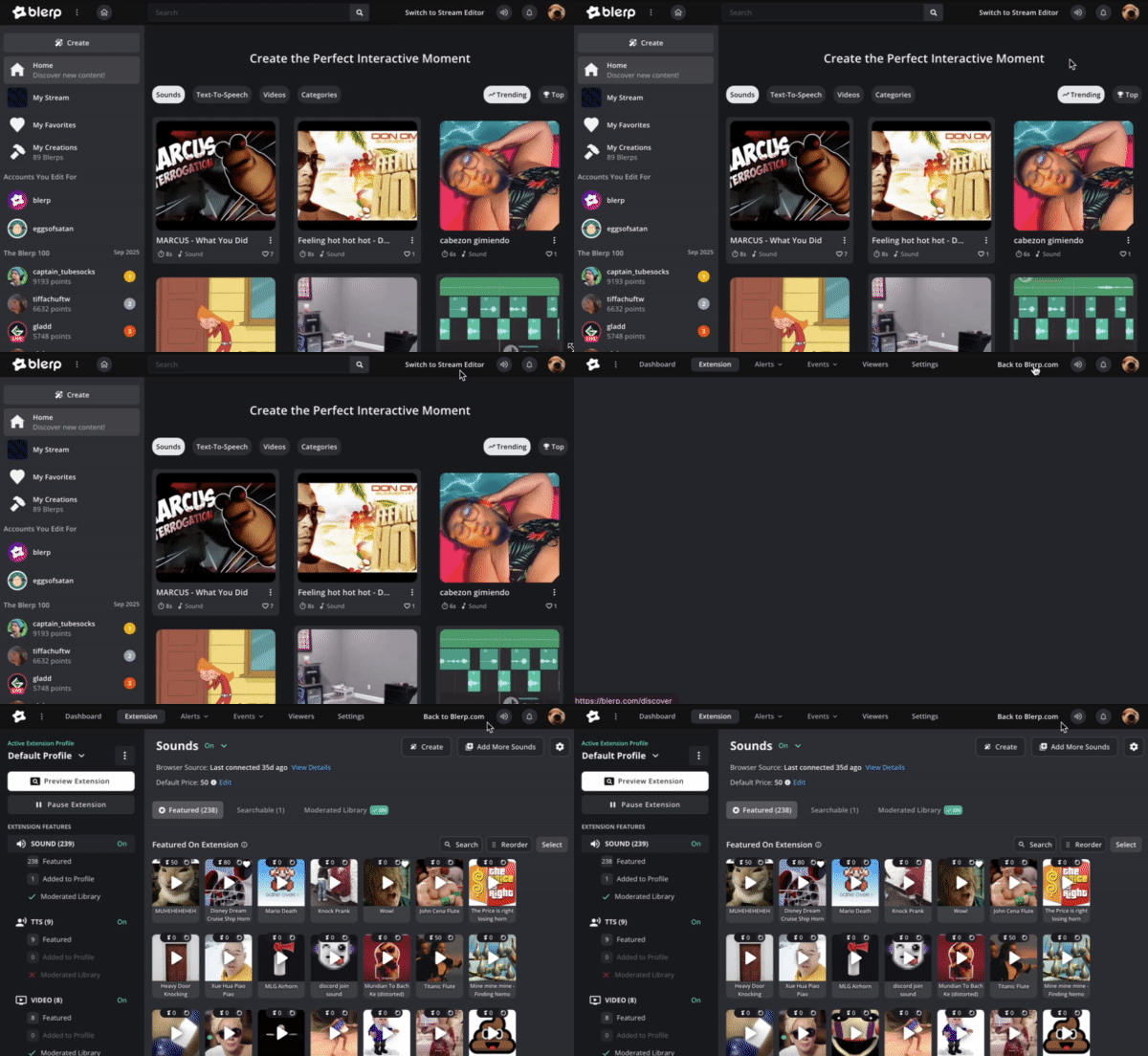
Open the Stream Editor
Go to Blerp and switch to the Stream Editor.
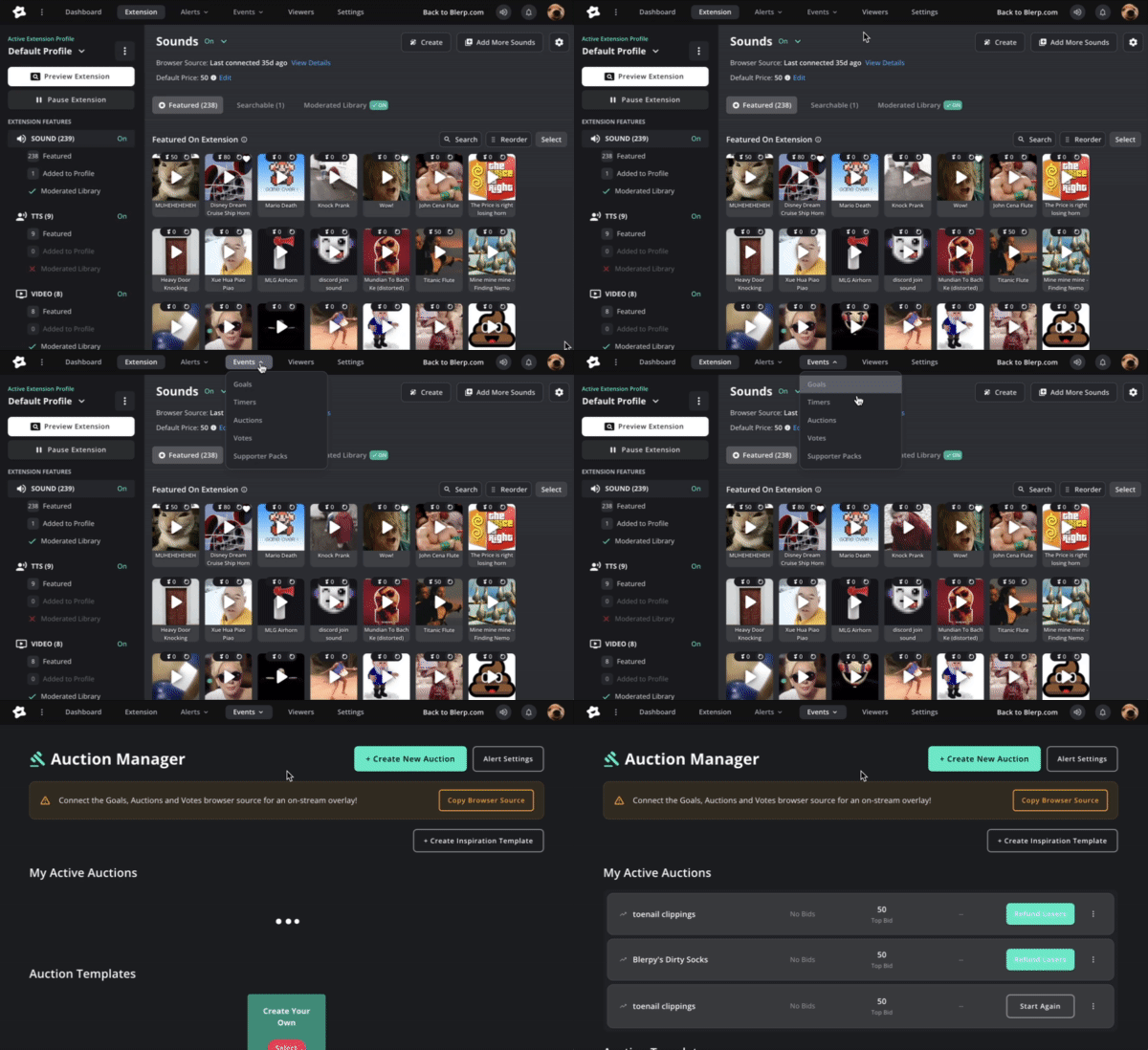
Navigate to Auctions
From the Events tab in the top menu, select Auctions from the dropdown.
Connect to Your Streaming Software
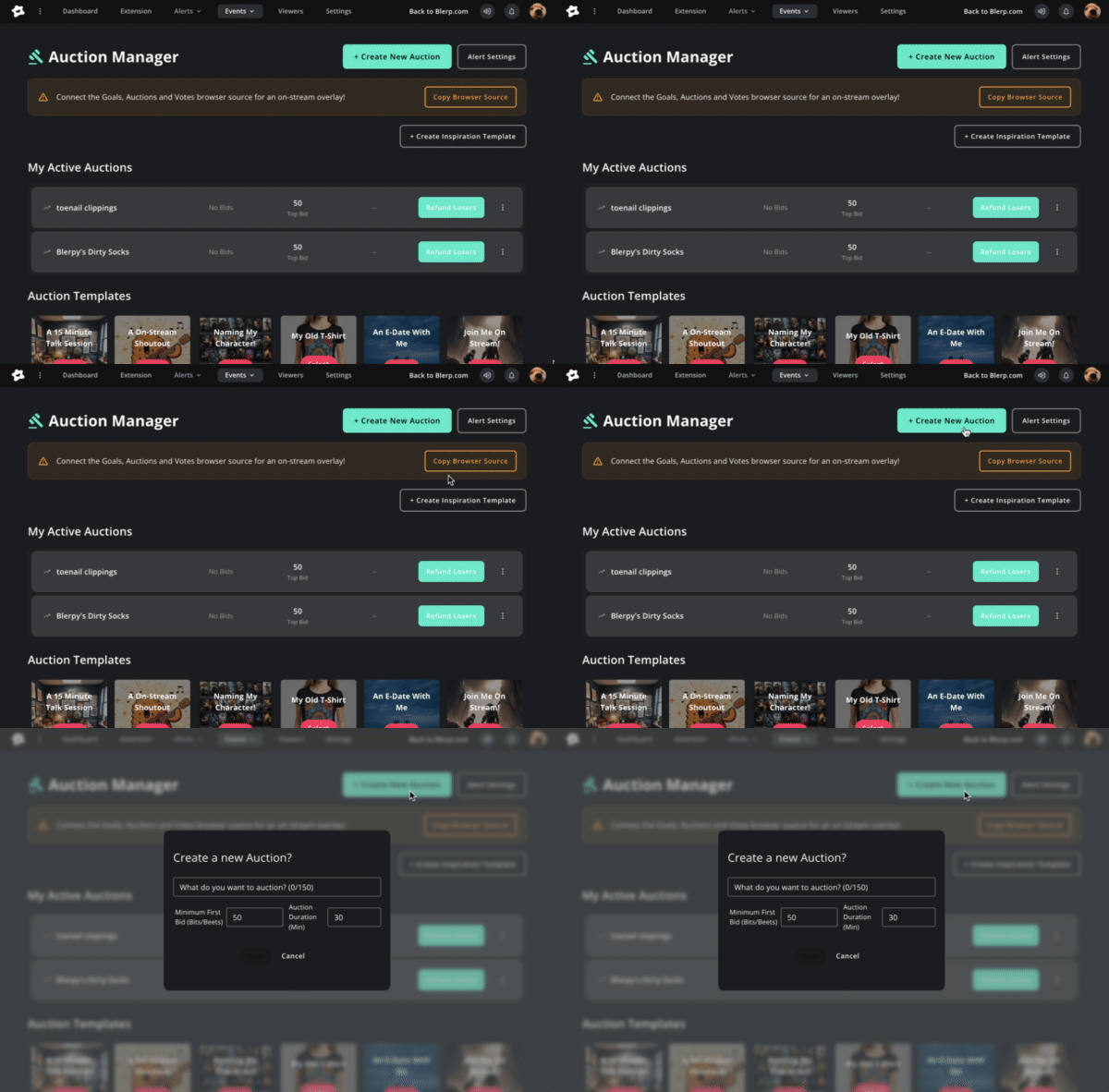
Make sure the Auctions and Votes browser source is added to your OBS, Streamlabs, or other streaming software. This ensures the overlay displays directly on your stream.
Create a New Auction
Click Create New Auction, then fill out the details:
- Auction Title – What’s up for grabs (e.g., “Name My Character”).
- Minimum First Bid – The starting price in Bits or Beets.
- Auction Duration – How long the auction will run.
Manage Your Live Auctions
Once created, you’ll find your active and past auctions under My Live Auctions. From here, you can:
- Track the status of your live auction.
- End an auction early if needed.
- Refund losing bidders manually.
Tips for Running Successful Auctions
- Promote it on stream: Announce the auction clearly so your viewers know what’s happening.
- Keep rewards fun and unique: Think of prizes your community will genuinely want.
- Use time pressure: Shorter auctions can create excitement and encourage fast bidding.
- Engage during the bidding: React in real time to bids and hype up the competition.
With Blerp Auctions, you turn regular streams into interactive experiences where your viewers feel like active participants. Whether it’s a fun shoutout or exclusive on-stream perk, auctions give your audience a new reason to stick around, and bid for more!
 Ellyblerp